YOU WILL LEARN
✓
Pages, then Add page, for a new one
✓
Add a section, and put in your own words
✓
Add a link to both menus: computer and phone
People like to know who they are buying from. An About page tells them, but only if they can find it. Here you add a page, give it something to say, link to it from your menu on computers and on phones, and publish it.
In the screenshots, Petal Street, a flower studio in Pune, adds an About us page. Its text is the demo shop's own made-up story.
Add the page
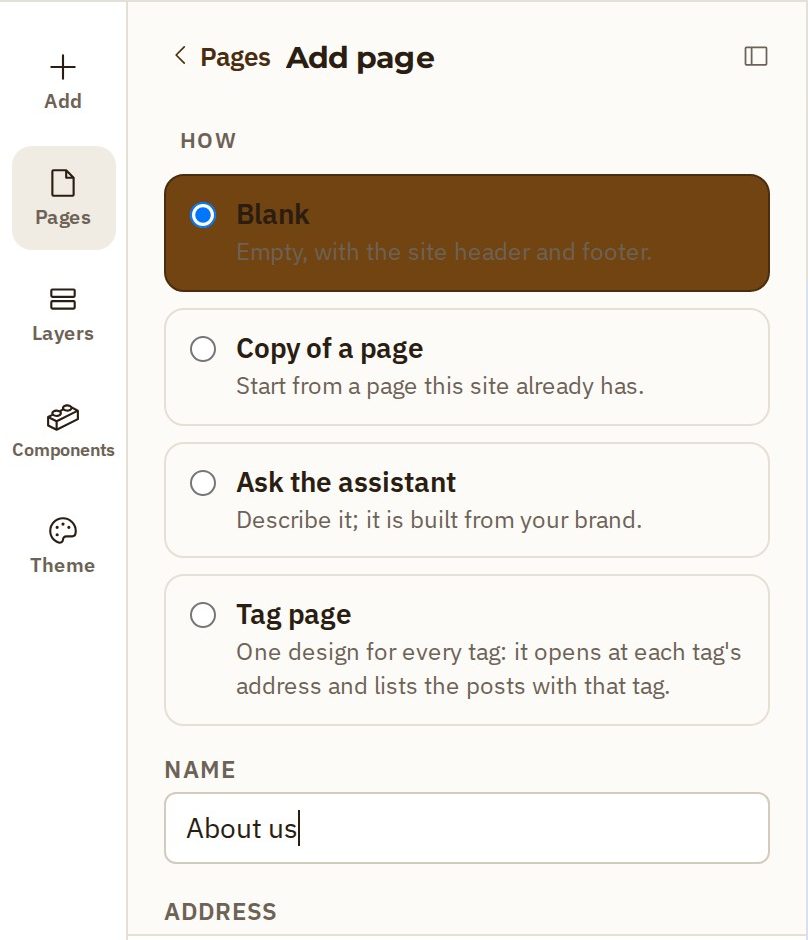
- In the website builder, press Pages on the left. It lists every page on your site.
- Press Add page.
- Keep Blank chosen. A blank page already has your site's header and footer, so you only add what is new.
- Type a Name. Opmiz makes the page's address from the name.
- Press Add page. The new page opens, ready for you.
Give it something to say
The page is empty between the header and footer.
- Press Add, then Section, and take a ready-made one. Hero is a big headline, a line under it and a button.
- Click the headline, press Edit text, and type your own.
- The small line above the headline and the sentence under it change the same way.
- The button works the same way too. Use Link on its toolbar to choose where it goes.
Put it in the menu
A new page is not in your menu yet, so visitors can't find it. The menu is part of your site's header. On Petal Street, the other pages are under More.
- Above the page, the More menu switch has two settings, Closed and Open. Press Open so you can work on the menu.
- Click a link in the menu. Opmiz selects the whole header.
- Press Edit component. A purple bar appears: every page uses this header, so a change here applies everywhere.
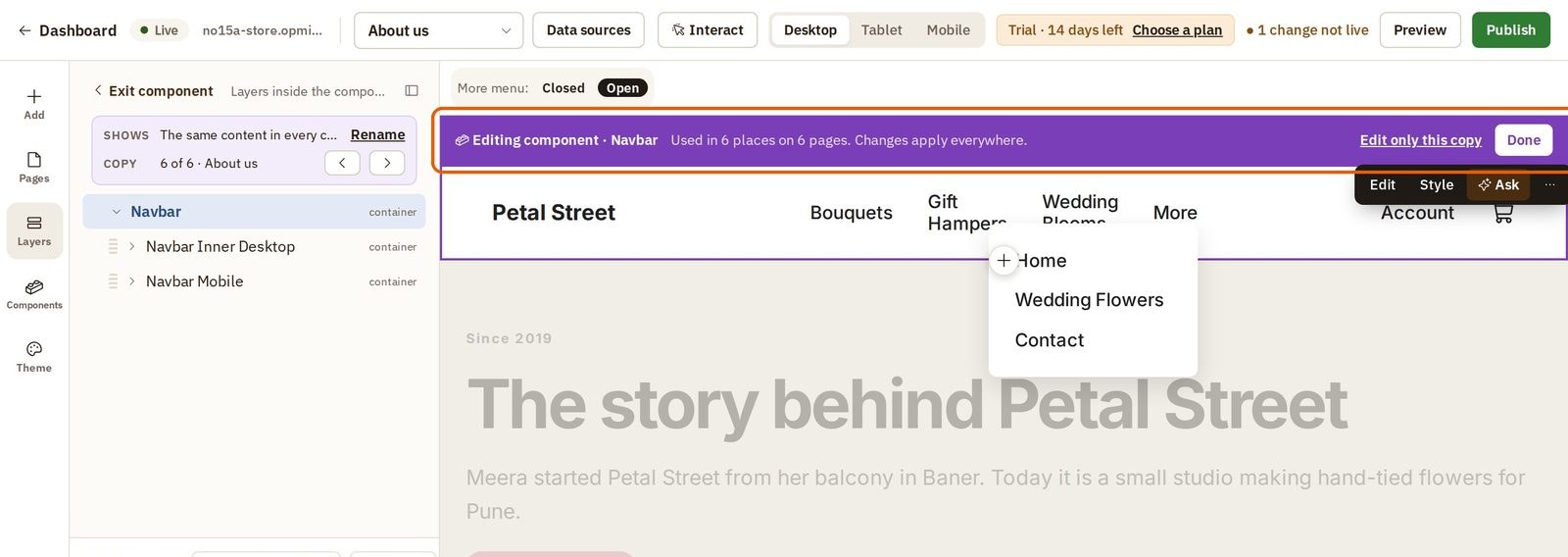
- Click the link the new one should follow (here Contact). The new link goes right after the one you select.
- Press Add, then Text, then Link.
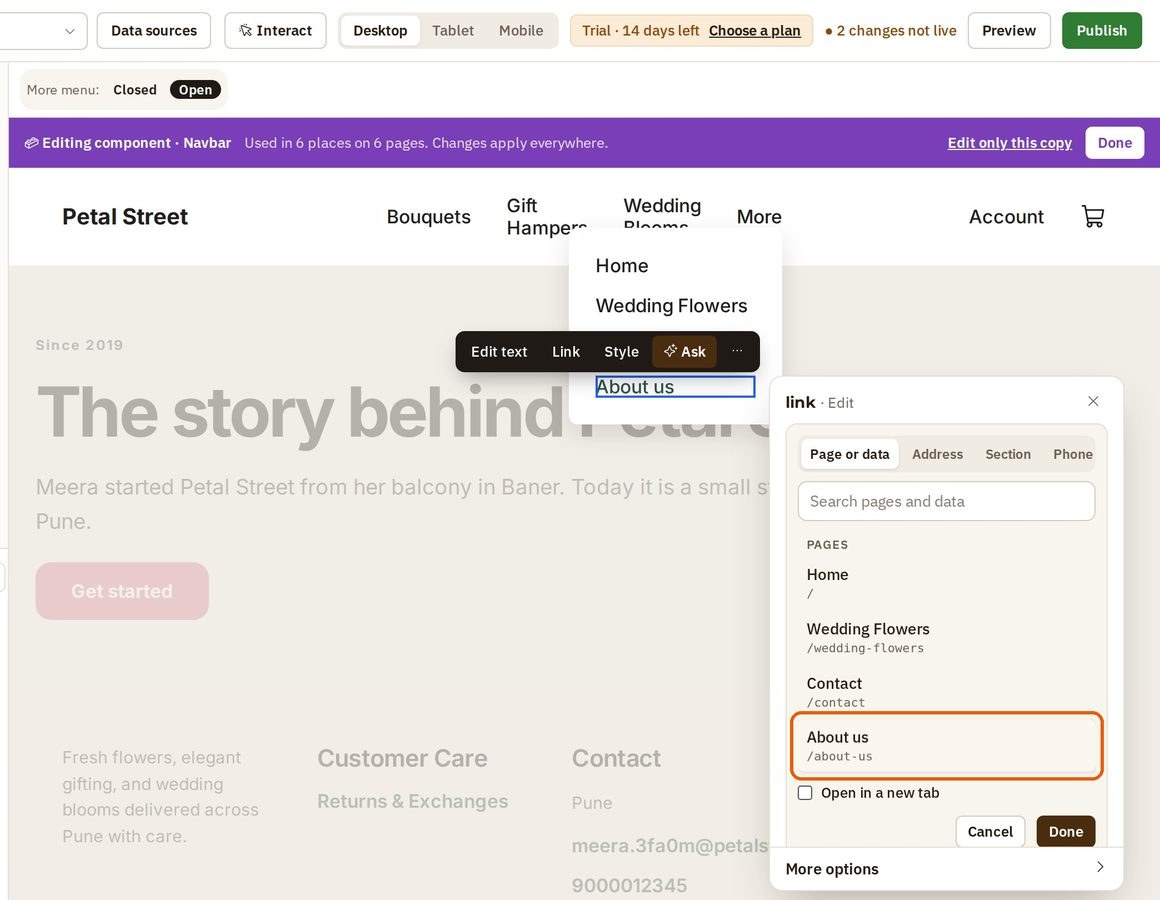
- Press Edit text and type the words visitors will read, such as About us.
- Press Link, choose your new page under Pages, and press Done.
And the phone menu
Phones have a menu of their own, so the new link needs adding there too.
- Press Mobile at the top of the builder.
- Open the phone menu with the same switch, now called Mobile menu.
- Do the same steps: select Contact, then Add, Text, Link. Give it the same words and the same page.
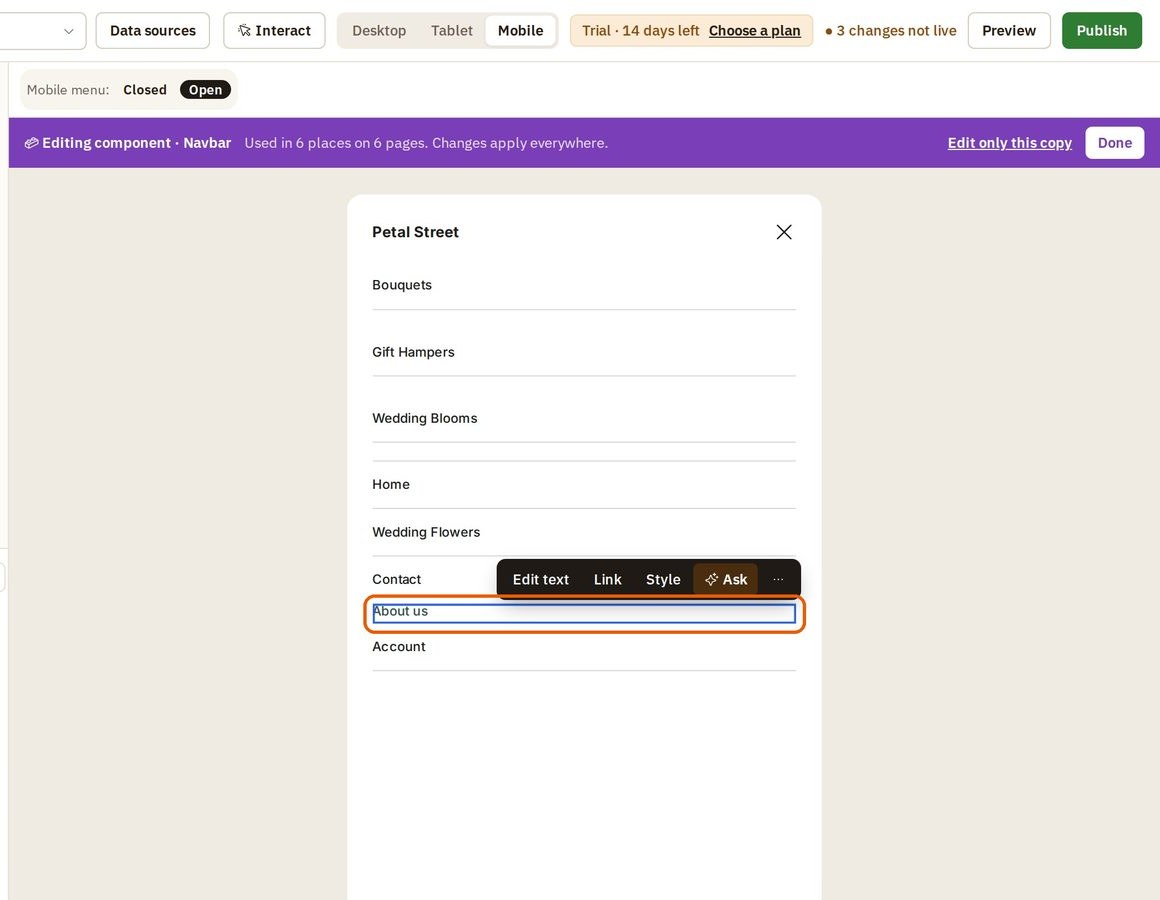
When both menus are done, press Desktop, then Done on the purple bar.
Publish and check
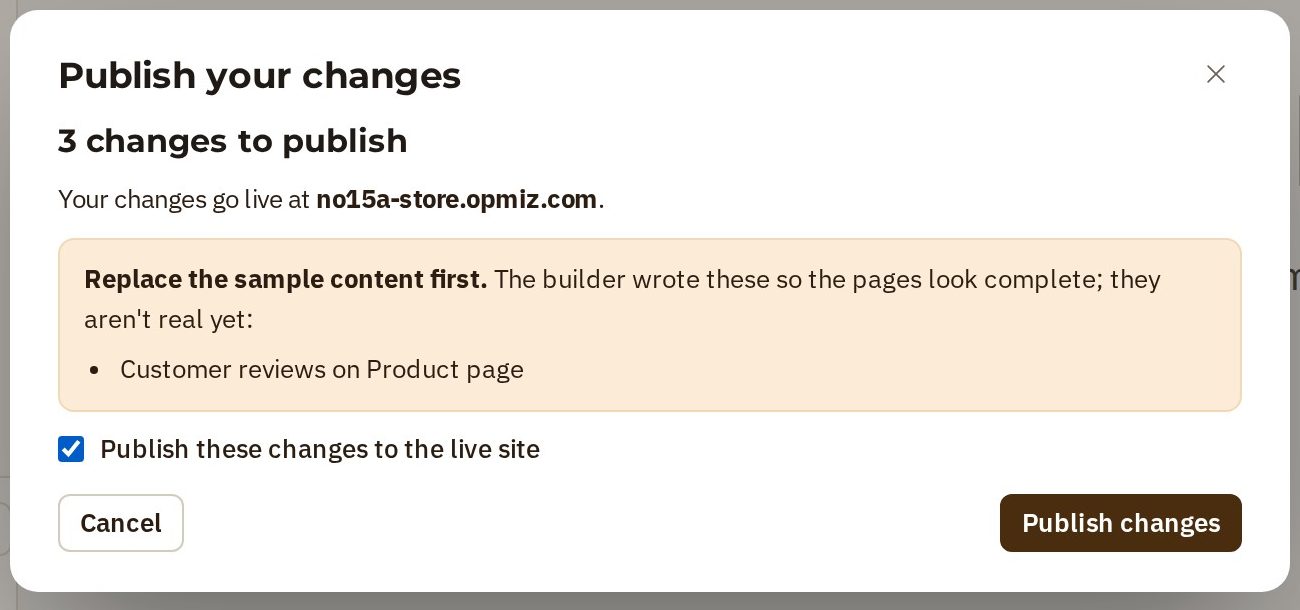
A new page goes live when you publish.
- Press Publish at the top right.
- Petal Street's site is live already, so there is nothing more to fill in. Tick Publish these changes to the live site.
- Press Publish changes.
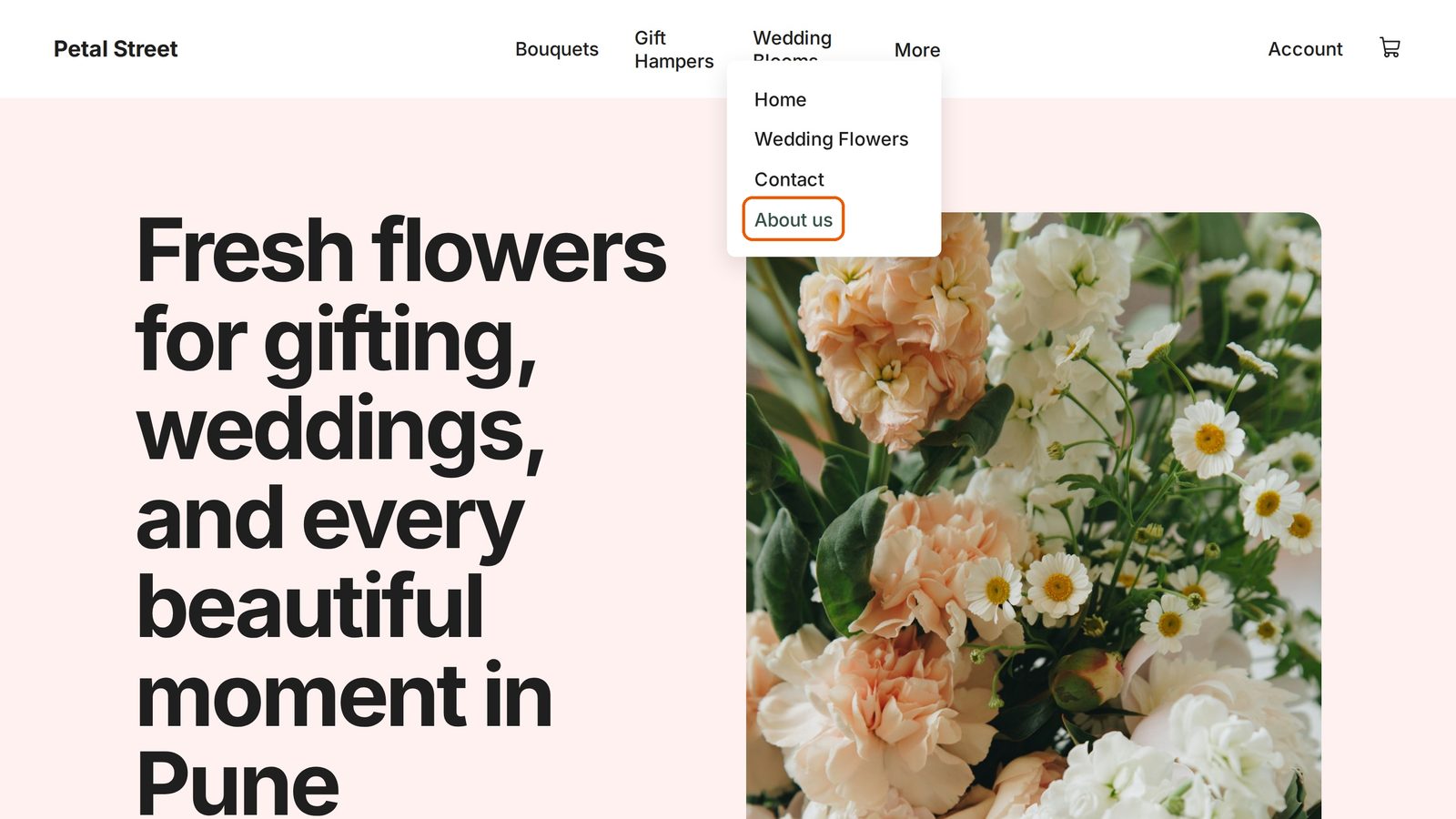
Open your live site and open More. Your new page is there. One click, and visitors are on it.
Was this tutorial helpful?
‹ Previous
Add, move and remove sectionsIN THIS TUTORIAL
AI websites with native commerce. Pages, blog, store, payments and GST invoices in one place, built from a short description.
Start free for 14 days →© 2026 Opmiz · WriterBabu Online Services Private Limited. All rights reserved.
Prices in INR, before 18% GST · Made in Patna, India