YOU WILL LEARN
✓
Messages from your forms land in the Inbox
✓
Reply by email, WhatsApp or a call
✓
Mark done, and Open shows who is still waiting
When someone fills in the form on your website, their message comes to your Inbox in Opmiz. From there you can see everything they wrote, answer them in one press, and keep track of who is still waiting. A quick reply is often what turns a question into a booking.
In the screenshots, Himalaya Sangha Journeys, a small travel company in Rishikesh, gets an enquiry about a tour.
A visitor sends an enquiry
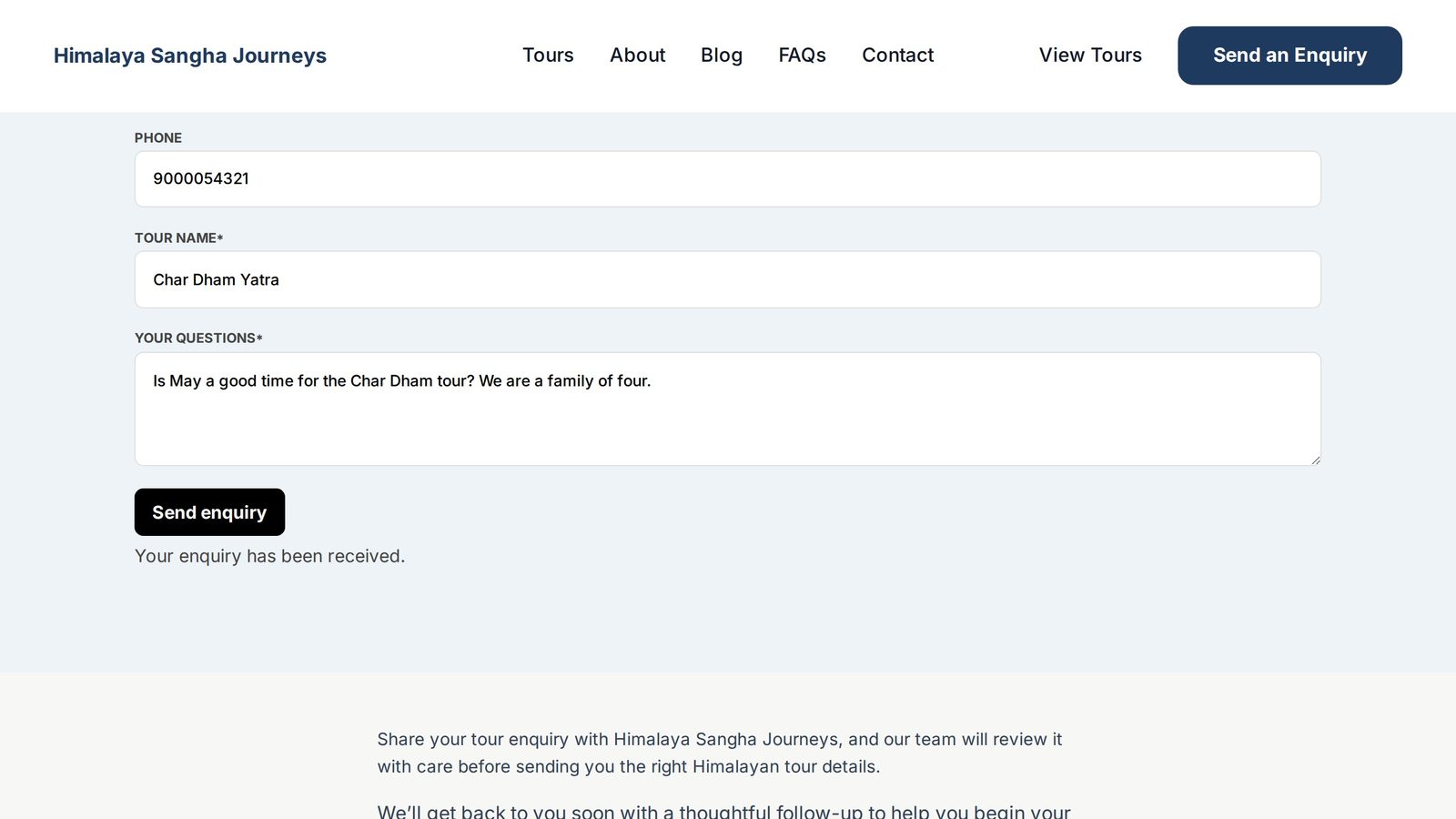
This is the enquiry form on the company's Contact page. Aarav is planning a family trip, and he has a question.
He gives his name, his email, his mobile number, the tour he is asking about, and his question. Then he presses Send enquiry. The form tells him his message arrived.
It lands in your Inbox
In your dashboard, a number appears next to Customers. That is a message waiting for you.
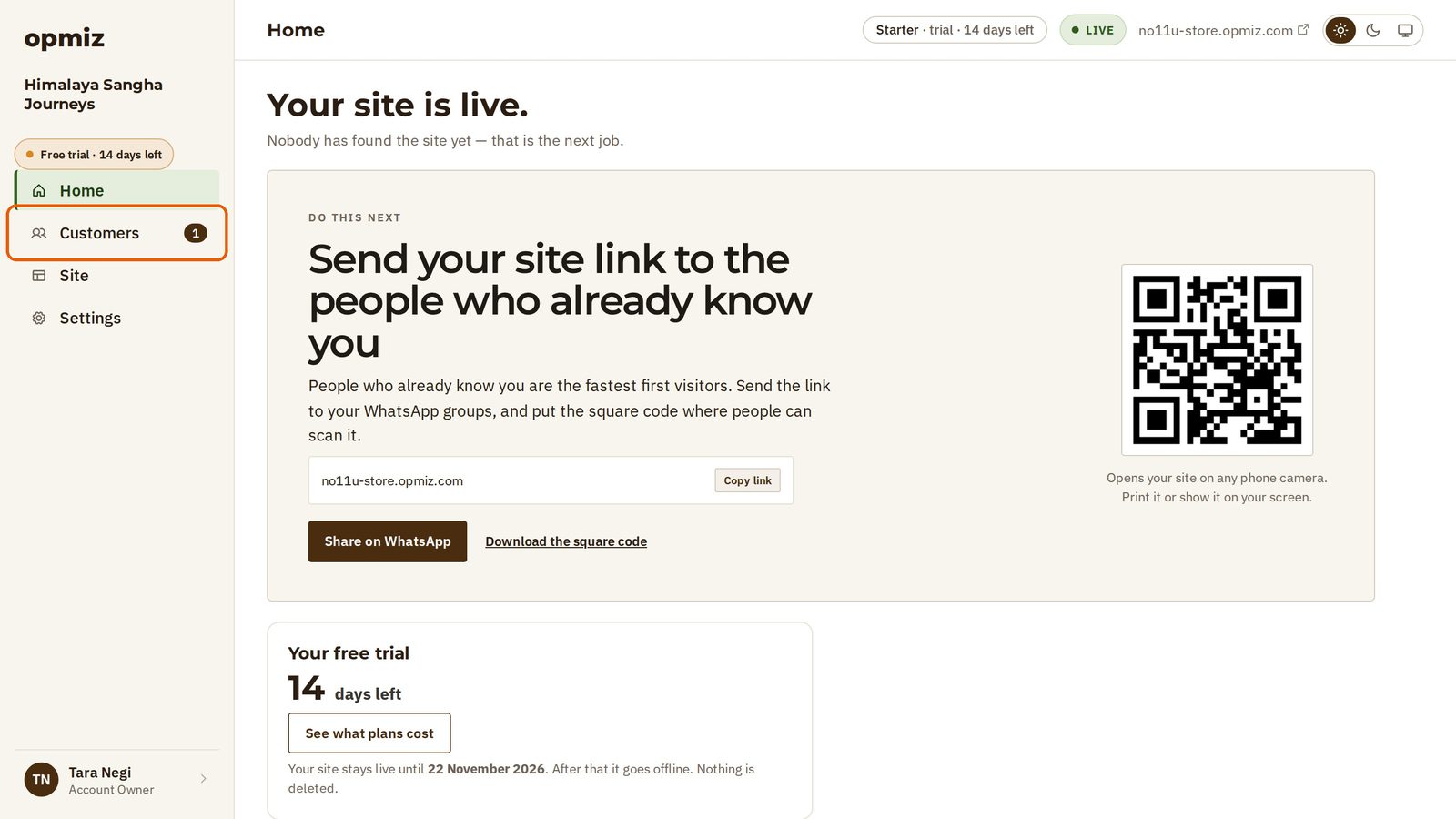
Open Customers, and you are in your Inbox. Every message from your site's forms comes here. A new one is marked New, and it waits under Open.
Click the message to read it.
Read it and reply
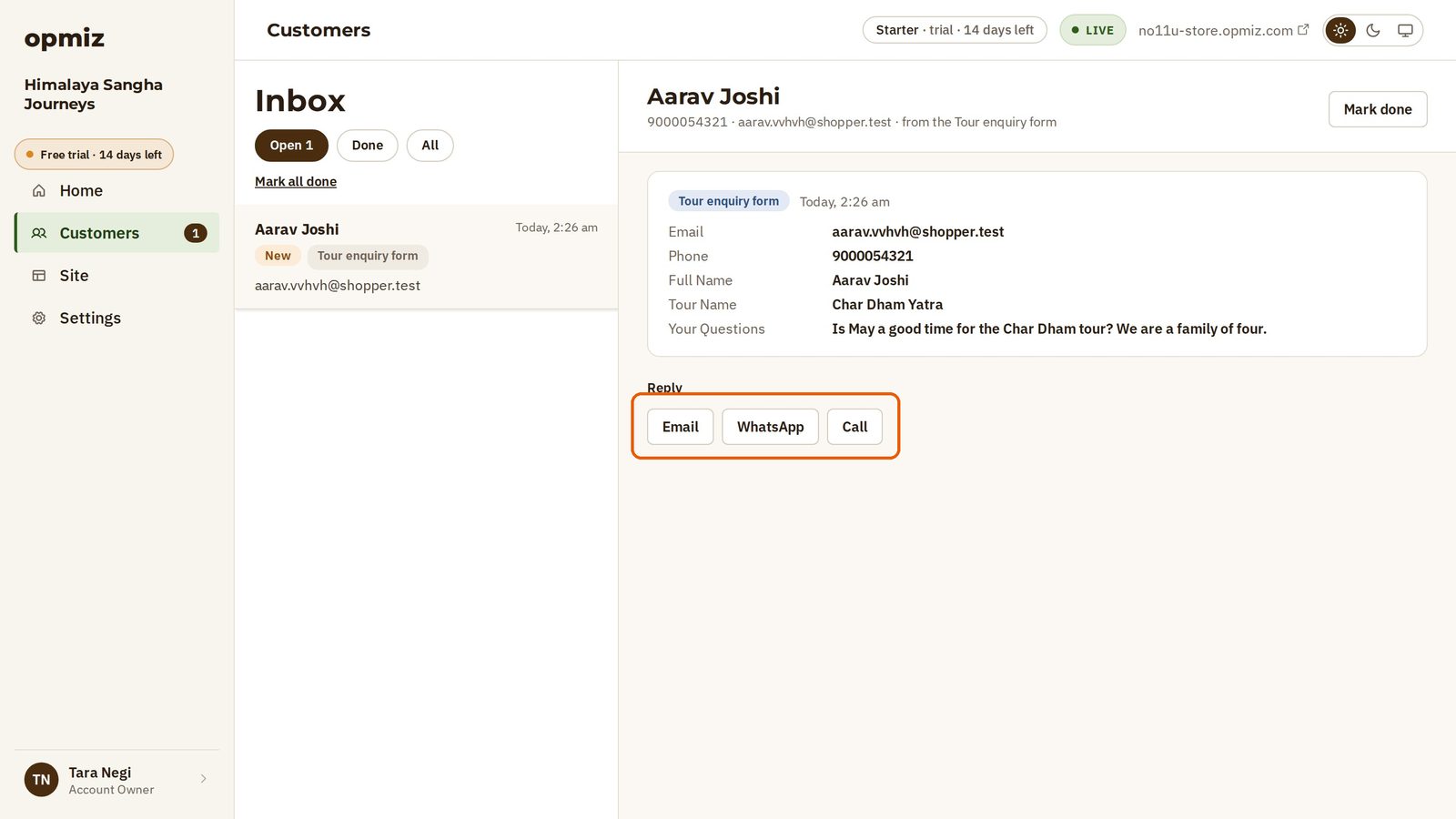
You see everything he wrote, field by field. You can see which tour he means before you reply.
Under Reply, use Email, WhatsApp or Call to answer him, with the details he gave you.
Keep track of who is waiting
Once you have answered, press Mark done at the top right. The message leaves Open, and the number next to Customers goes away.
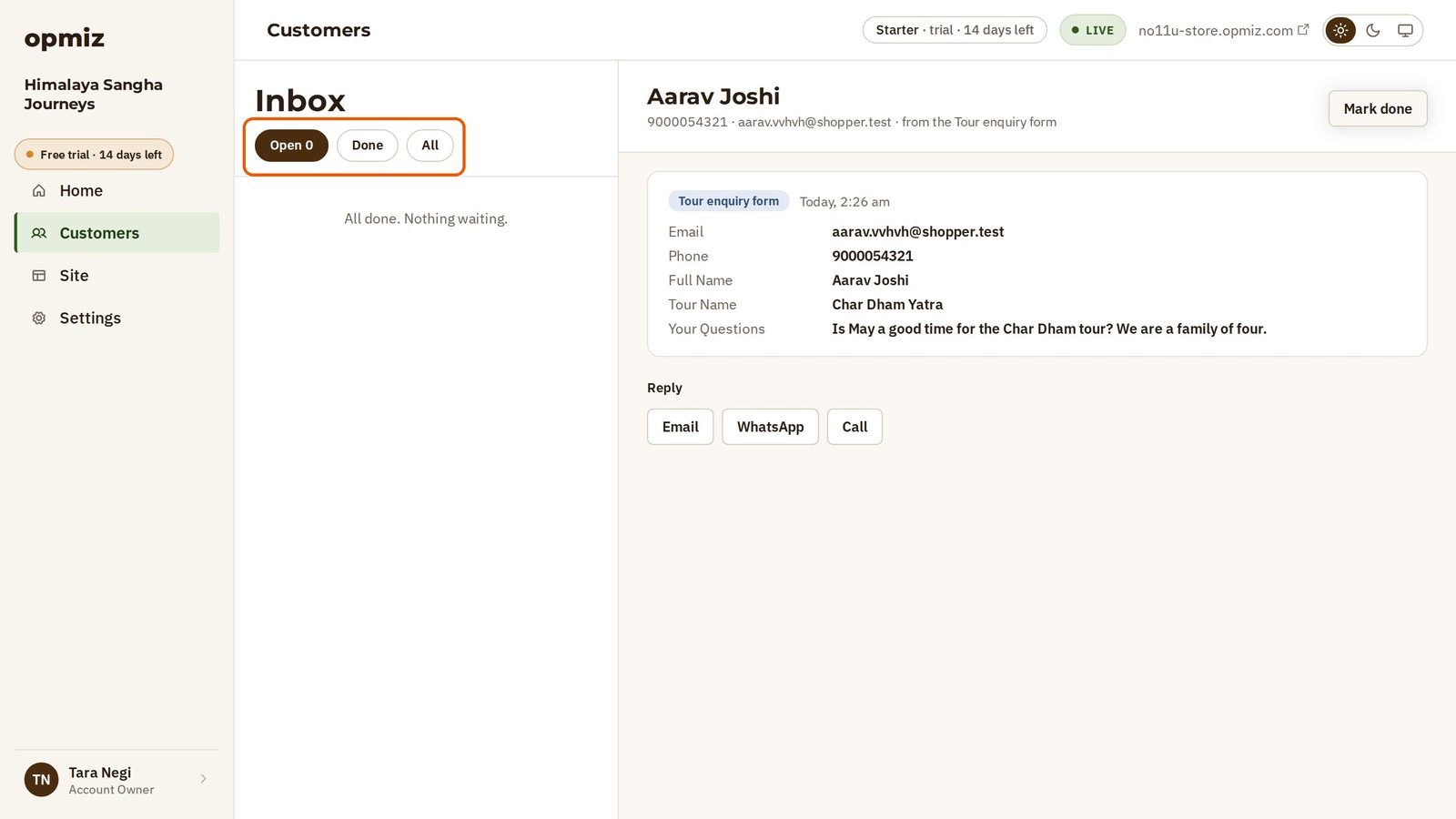
So Open is your to-do list: whoever is there is still waiting for you.
Nothing is thrown away. Your answered messages stay under Done.
Check your Inbox often, and answer quickly. That is how an enquiry becomes a customer.
Was this tutorial helpful?
‹ Previous
Give each tag its own pageIN THIS TUTORIAL
AI websites with native commerce. Pages, blog, store, payments and GST invoices in one place, built from a short description.
Start free for 14 days →© 2026 Opmiz · WriterBabu Online Services Private Limited. All rights reserved.
Prices in INR, before 18% GST · Made in Patna, India