YOU WILL LEARN
✓
Settings, then Getting paid
✓
One switch, and it saves by itself
✓
Record the money once you have it
Many customers prefer to pay when their order is in their hands. With Pay on Delivery turned on, they can choose to pay the courier, in cash or by UPI, when the order arrives. It takes one switch.
In the screenshots, Petal Street, a flower studio in Pune, turns it on.
Turn it on
Open Settings, then Getting paid.
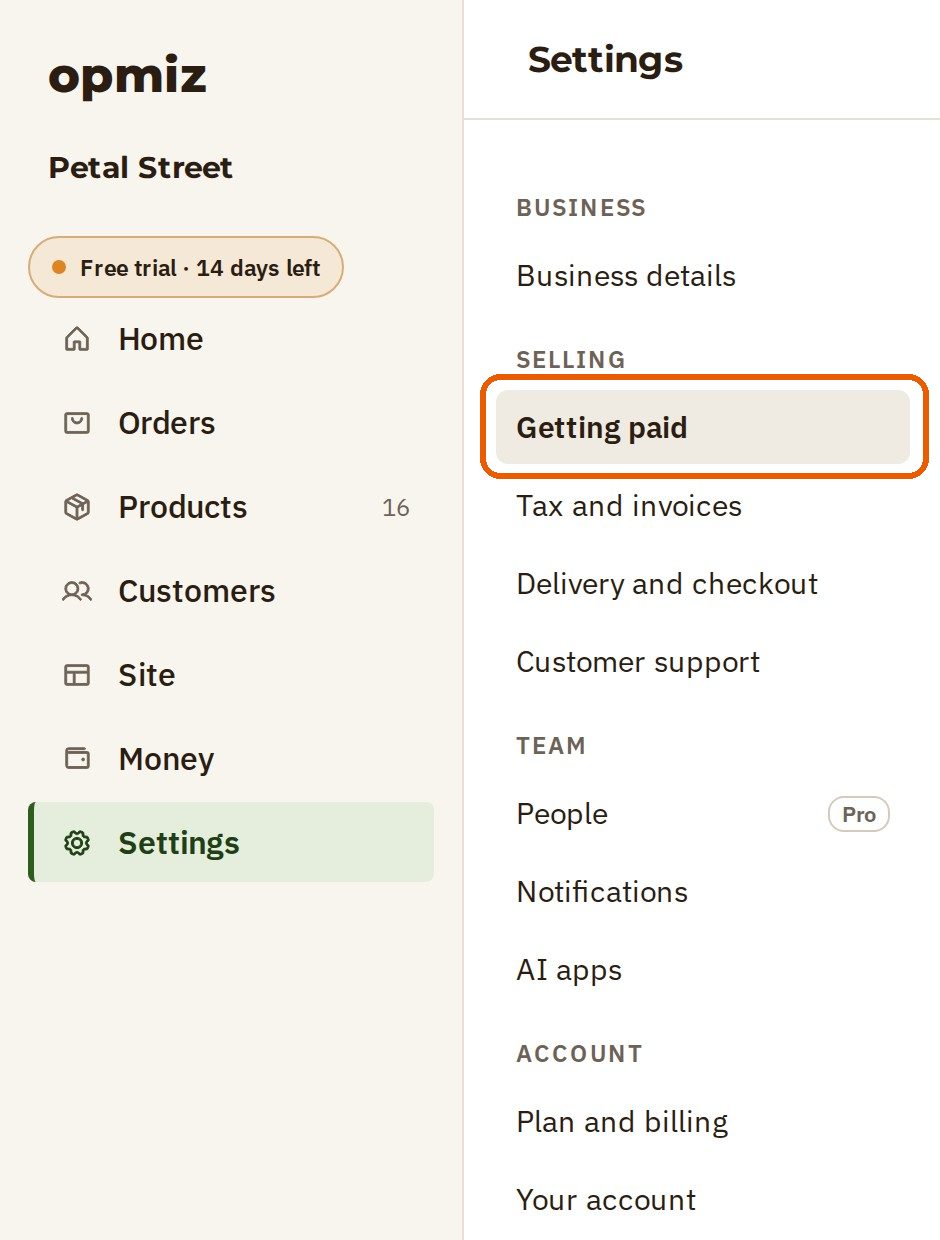
The Getting paid page holds every way customers pay you. Online payments by UPI and card, through your own payment gateway account, are at the top. You don't need them for Pay on Delivery.
Find Other ways to pay further down the page. Pay on delivery means the customer pays the courier, in cash or by UPI, when the order arrives.
- Turn the switch on. It saves by itself, so there is nothing else to press.

What your shopper sees
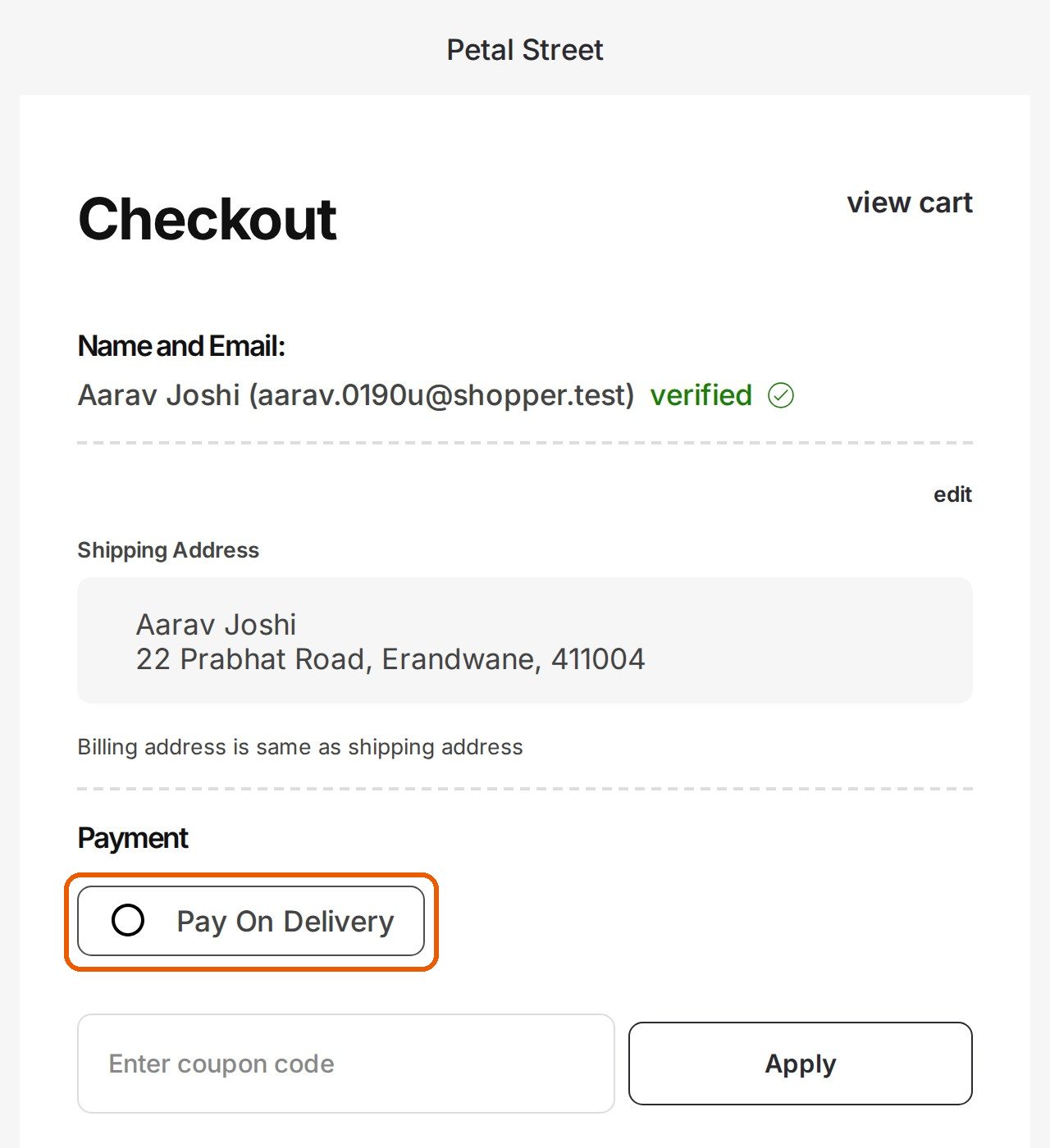
At the checkout on your store, Pay On Delivery is now one of the choices under Payment.
- The shopper picks Pay On Delivery.
- They press Place Order. There is nothing to pay right now.
- The store shows Order Successful! and an order number.
On your side
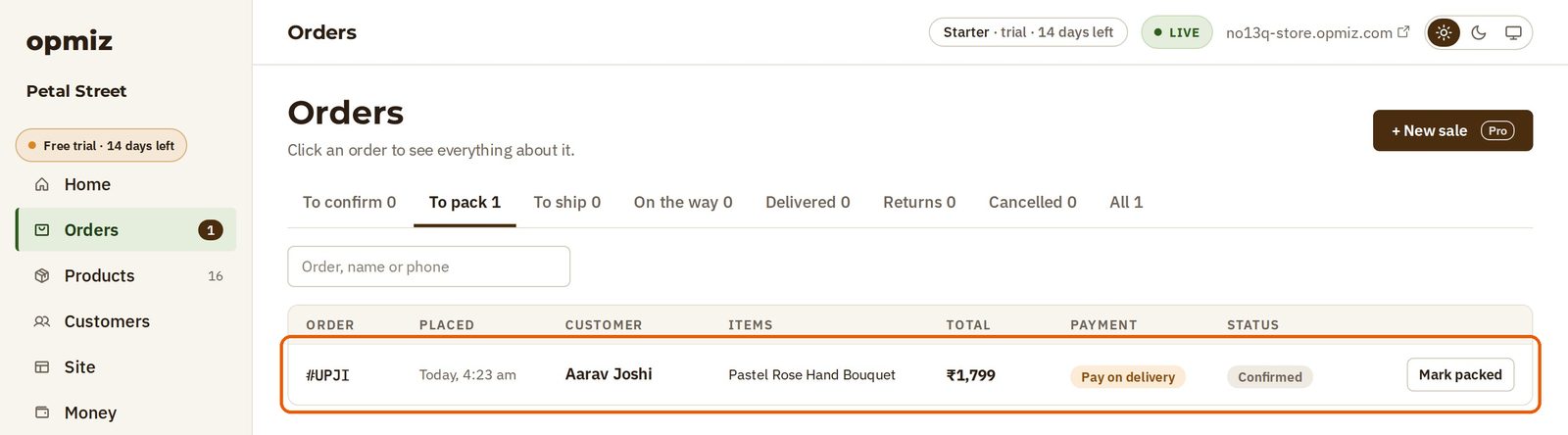
The order waits on your Orders page, under To pack. Its payment reads Pay on delivery, and its status reads Confirmed, so you can start on it straight away.
From here the order works like any other:
- Pack it, and press Mark packed.
- Send it, and mark it shipped, then delivered.
- Once the courier hands you the money, record it on the order, so your books show it as paid.
Was this tutorial helpful?
‹ Previous
Take card and UPI paymentsNext ›
Handle your first orderIN THIS TUTORIAL
AI websites with native commerce. Pages, blog, store, payments and GST invoices in one place, built from a short description.
Start free for 14 days →© 2026 Opmiz · WriterBabu Online Services Private Limited. All rights reserved.
Prices in INR, before 18% GST · Made in Patna, India