YOU WILL LEARN
✓
Cancel while the order is still with you
✓
Request, Returning, Returned for what comes back
✓
Refunds are yours to give
Sometimes a customer changes their mind. Opmiz lets you cancel an order that hasn't left yet, and track a return step by step once it has. Your orders then show what really happened, and your list of things to pack stays right.
In the screenshots, Petal Street, a flower studio in Pune, cancels one order and takes back another. Both orders were placed before the video.
Cancel before it leaves
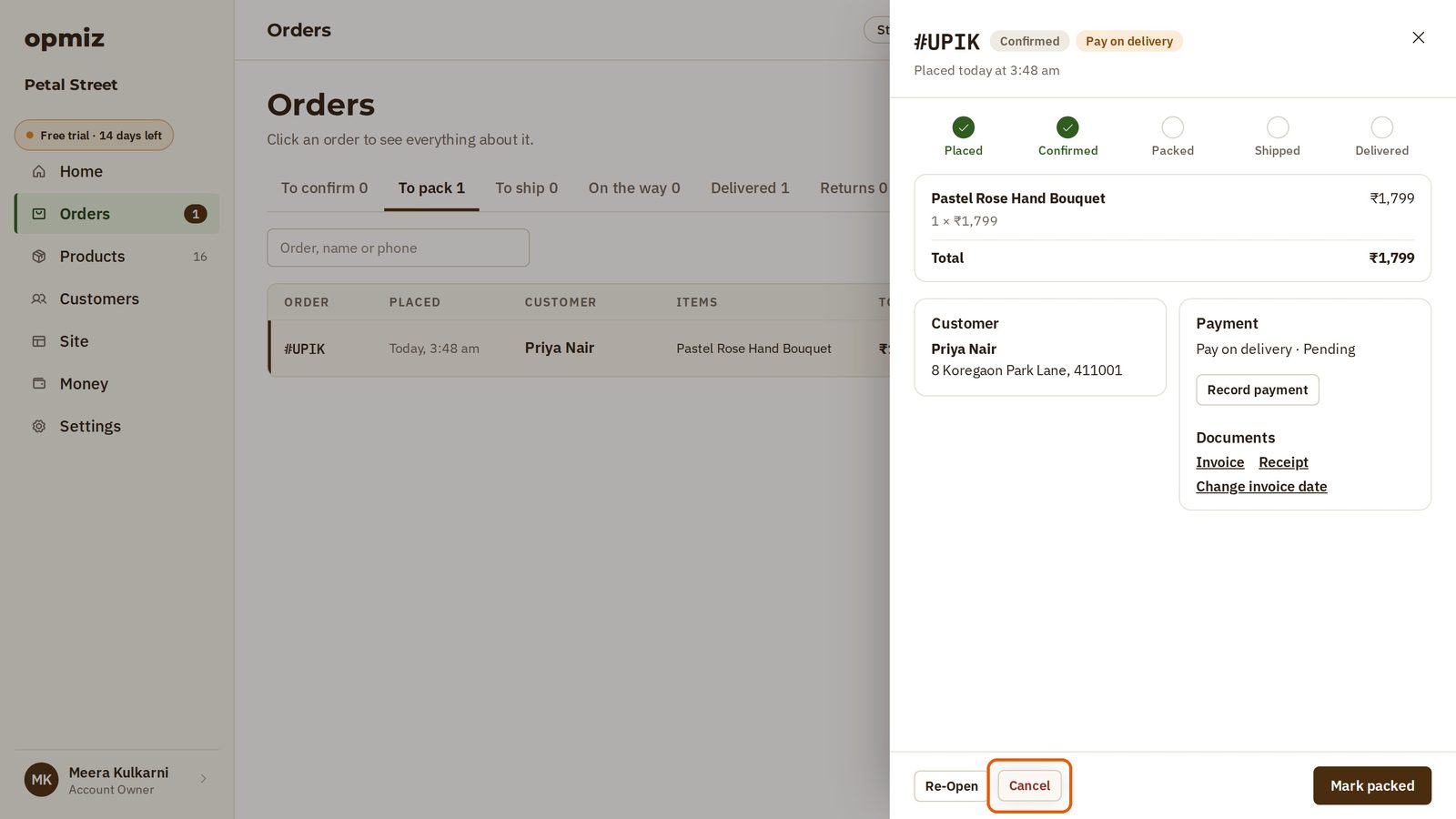
Priya ordered a rose bouquet, then called to say she no longer needs it. Meera hasn't packed it yet, so cancelling is simple.
- Open Orders and press the order to open it.
- Cancel is at the bottom, next to the next step (here, Mark packed). Press Cancel.
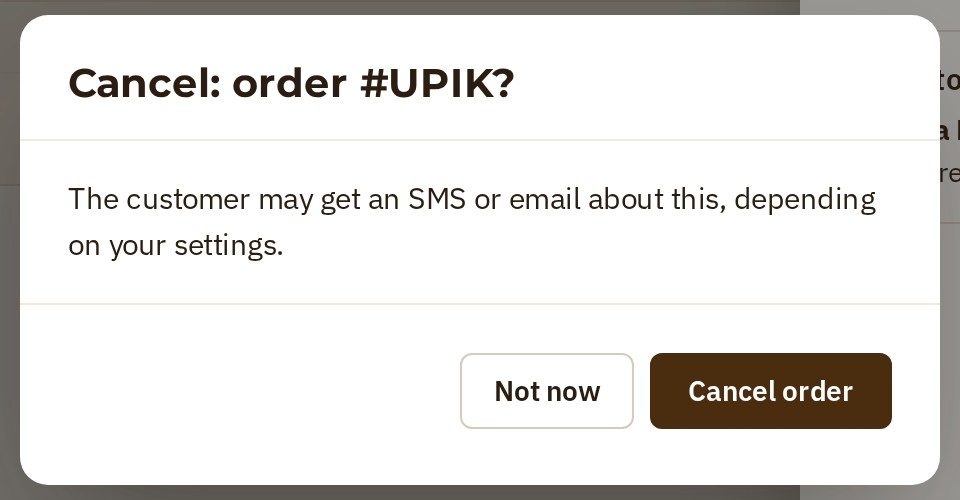
- Opmiz asks first. It tells you the customer may get an SMS or email about it, depending on your settings. Not now leaves the order as it was. If the order really is off, press Cancel order.
The order is now marked Canceled, and there's nothing more to do on it. It moves to the Cancelled tab, so it no longer sits in your list of orders to pack.

Take a return
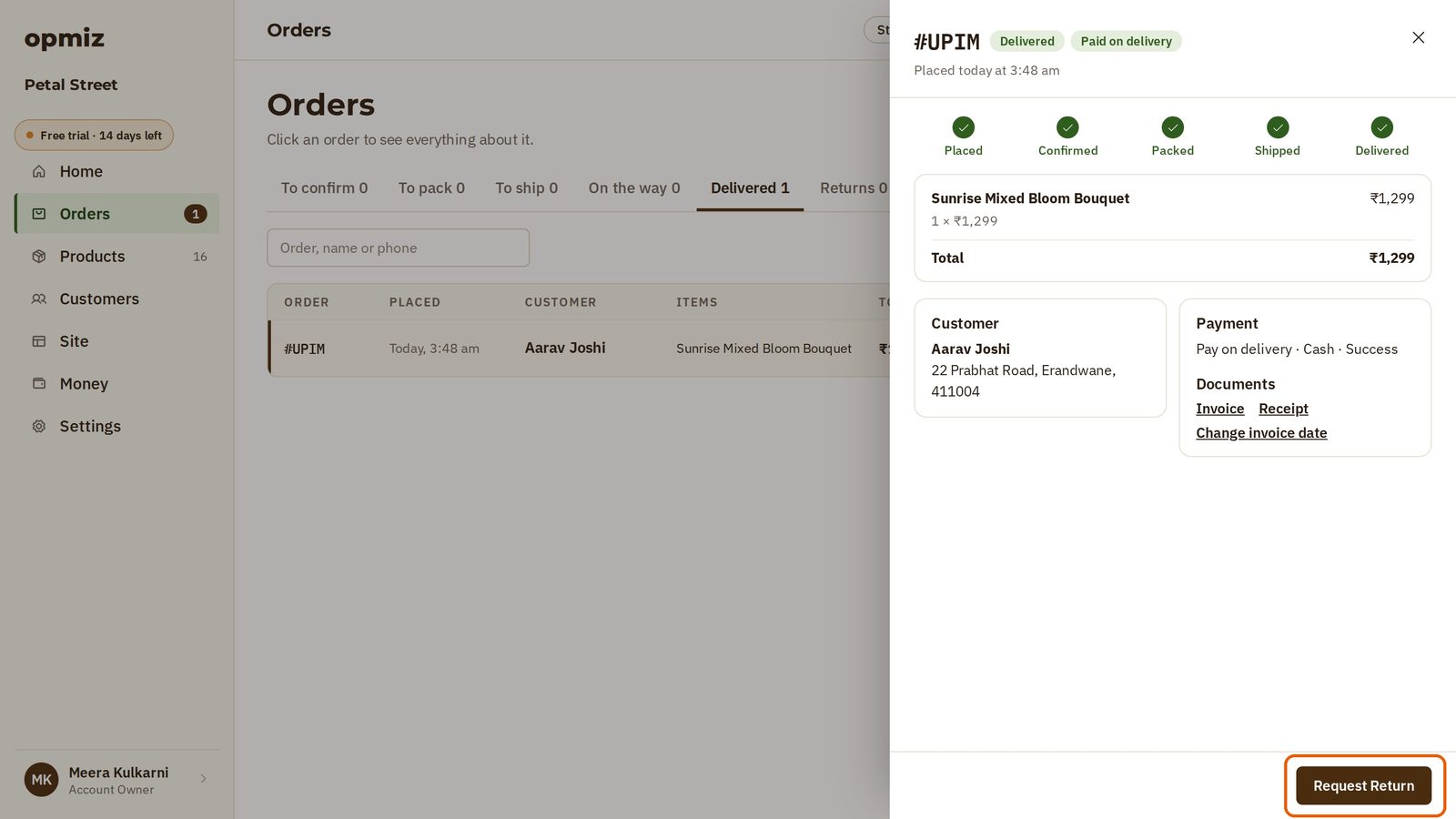
Aarav's order was delivered and paid for in cash, and he wants to send it back.
- Open his order. Once an order is delivered, Cancel has gone. The step here is Request Return.
- Press Request Return, and confirm in the box that opens. The order now says Request for return.
- When Aarav hands the bouquet over to come back, press Mark Returning, and confirm.
- When it's back in your shop, press Mark Returned, and confirm.
The order now says Returned, and there is nothing more to do on it.
What about the money?
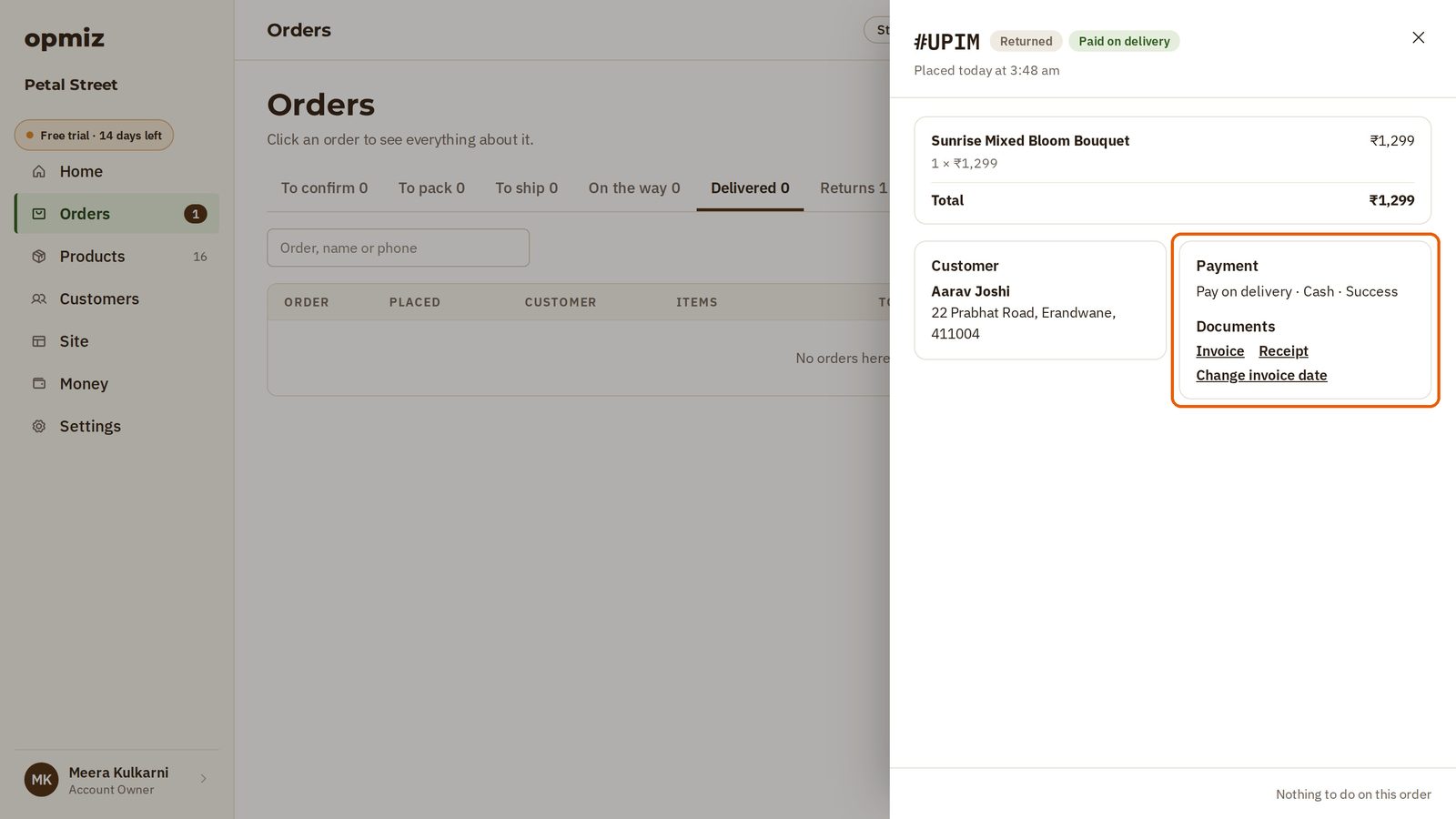
One thing to know. Look at the payment on the returned order: it still says the cash was received.
These steps track the item, not the money. They don't pay anyone back. If you owe the customer a refund, you need to give it to them yourself.
So: cancel what hasn't gone yet, and follow a return step by step.
Was this tutorial helpful?
‹ Previous
Set delivery fees and pickupIN THIS TUTORIAL
AI websites with native commerce. Pages, blog, store, payments and GST invoices in one place, built from a short description.
Start free for 14 days →© 2026 Opmiz · WriterBabu Online Services Private Limited. All rights reserved.
Prices in INR, before 18% GST · Made in Patna, India