YOU WILL LEARN
✓
These settings need the Pro plan
✓
A fee on every delivered order, free above an amount
✓
Pickup at checkout, with no delivery charge
Delivery costs you money, and some customers would rather collect their order. Opmiz lets you add a delivery fee to each order, deliver free above an amount, and offer pickup from your shop. At the end, your checkout shows the right charge for each shopper.
In the screenshots, Petal Street, a flower studio in Pune, charges ₹80 for delivery and lets people collect.
This needs Pro
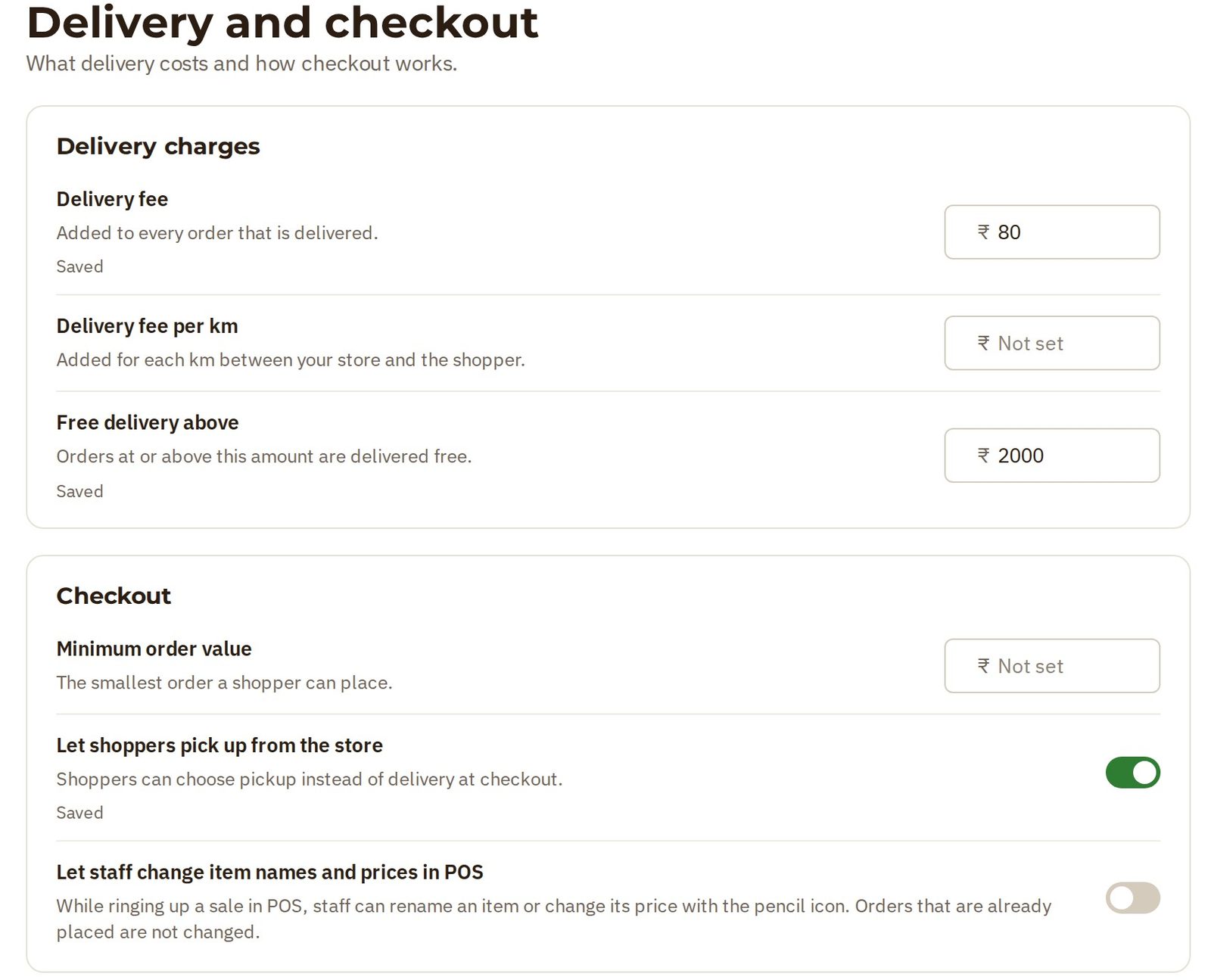
These settings are in Settings, under Delivery and checkout.
On the Starter plan, each of them has a Pro tag, and you can't change it. On a business on the Pro plan, the same settings are open.
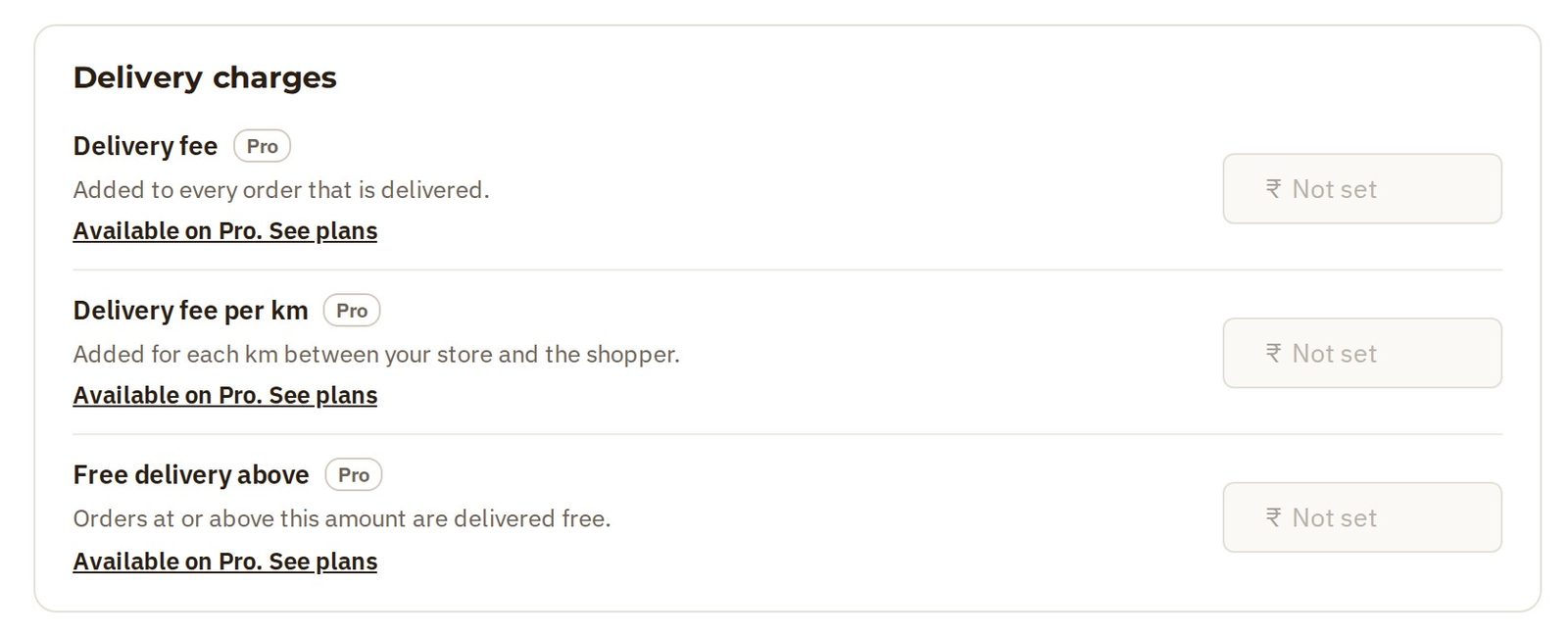
Charge for delivery
A Delivery fee is added to every order that is delivered.
- Open Settings, then Delivery and checkout.
- Type your fee in the Delivery fee box. Meera types 80.
- Press Enter. The setting shows Saved.
Free delivery above an amount
Free delivery above an amount gives people a reason to add one more thing to their cart.
- Type the amount in the Free delivery above box. Meera types 2000.
- Press Enter to save it.
Orders at or above this amount are delivered free.
Let shoppers collect
If people can collect from your shop or studio, turn on Let shoppers pick up from the store. Shoppers can then choose pickup instead of delivery at checkout.
What shoppers see
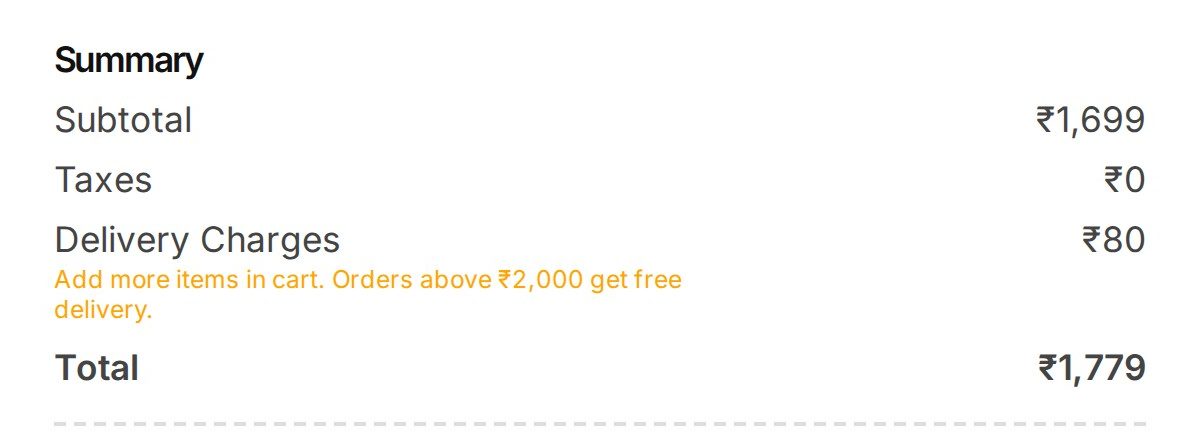
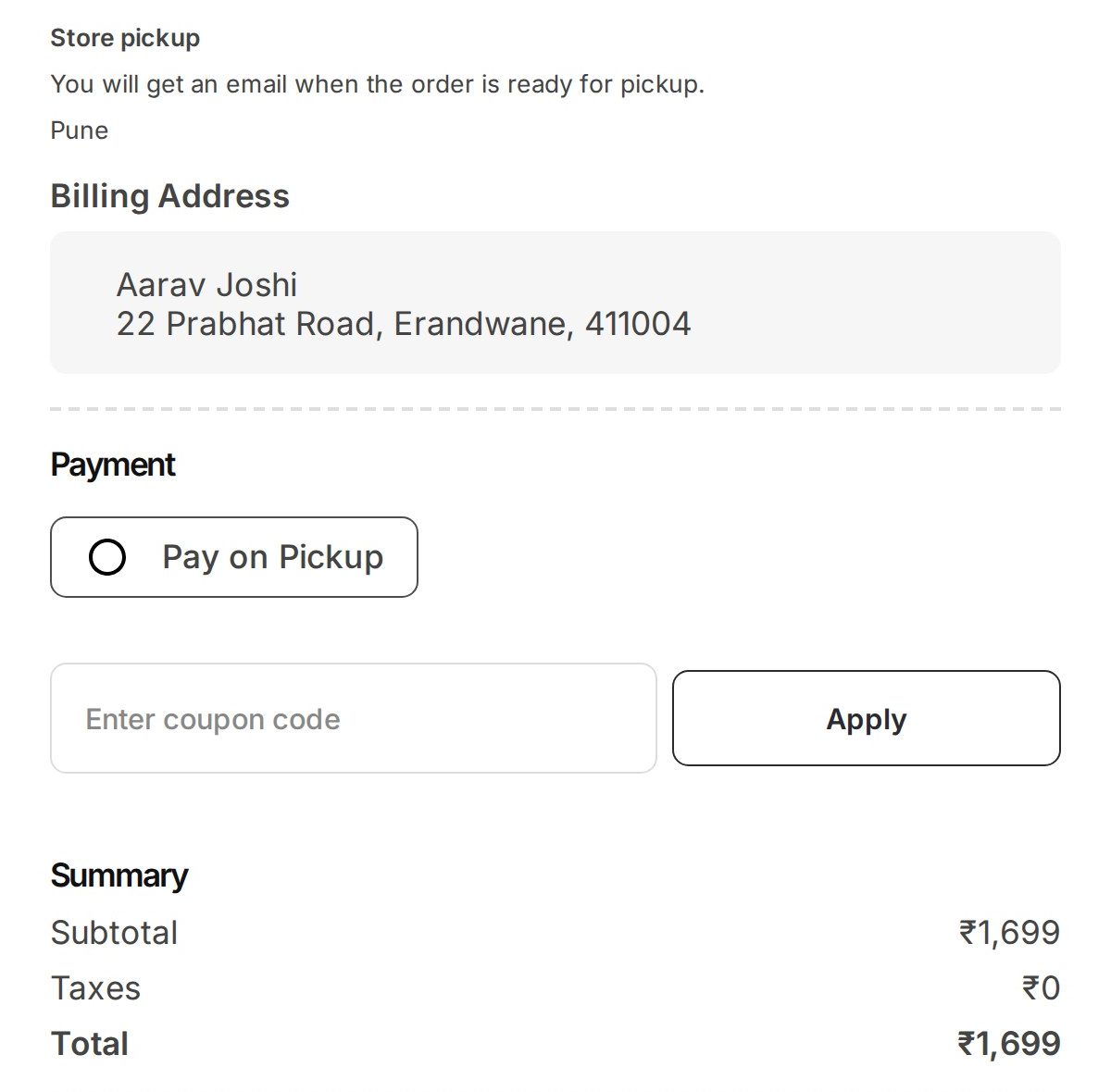
In the video, Aarav buys a bouquet for ₹1,699.
At checkout, the ₹80 delivery charge is on his summary. Opmiz also tells him how to get free delivery: orders above ₹2,000 get free delivery.
He'd rather collect it.
- He goes back to his address by pressing edit.
- He ticks Pick up from store.
The checkout says where to collect, and that he will get an email when the order is ready.
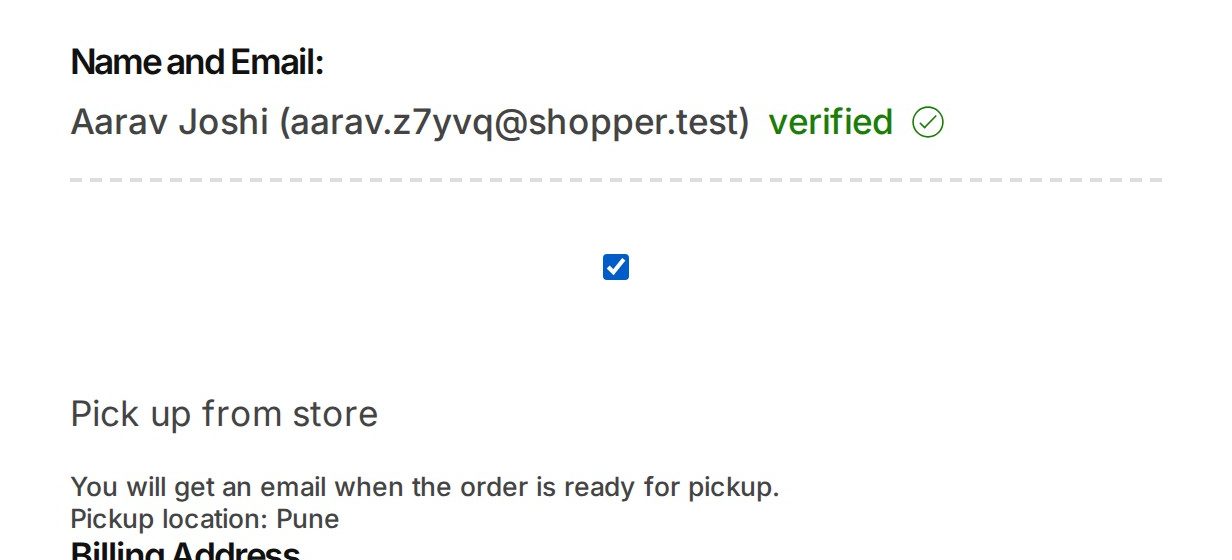
He carries on to payment. There is no delivery charge now, and he pays for the bouquet and nothing else.
You can change these settings any time. The next checkout uses them.
Was this tutorial helpful?
‹ Previous
Run a discount codeIN THIS TUTORIAL
AI websites with native commerce. Pages, blog, store, payments and GST invoices in one place, built from a short description.
Start free for 14 days →© 2026 Opmiz · WriterBabu Online Services Private Limited. All rights reserved.
Prices in INR, before 18% GST · Made in Patna, India