YOU WILL LEARN
✓
Compare prices in Plan and billing
✓
Pay on PayU, and find your invoice here
✓
Moving up starts now; moving down at renewal
Your free trial won't last for ever. When it ends, a plan keeps your store live and taking orders. This page shows how to compare the plans, buy one, and change it later.
In the screenshots, Meera runs Petal Street, a flower studio in Pune.
Where you stand
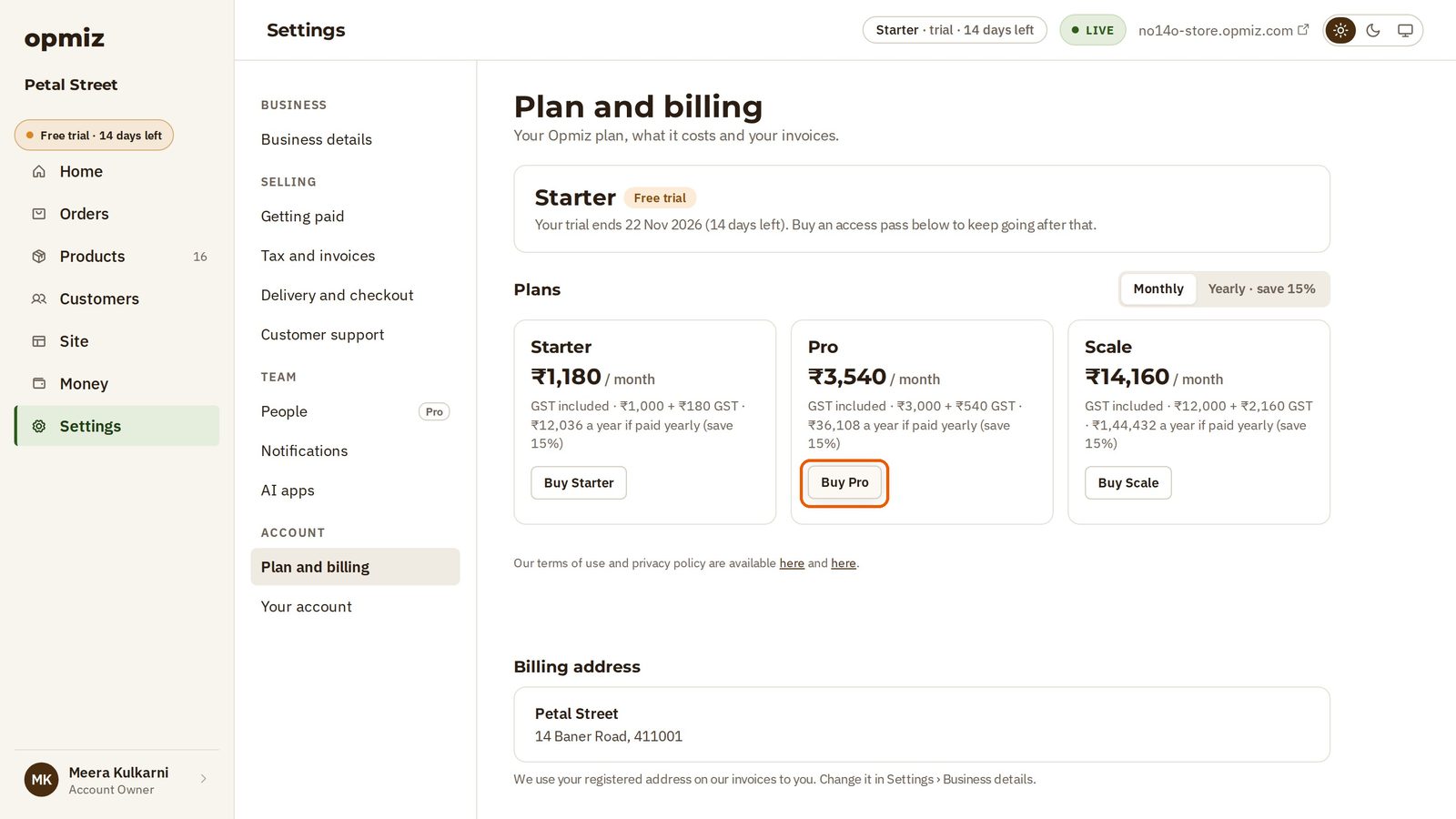
Everything about your plan is in Settings, under Plan and billing. The box at the top says which plan you are on. During the free trial, it also tells you the date your trial ends and how many days you have left.
Compare the plans
There are three plans:
- Starter: ₹1,180 a month.
- Pro: ₹3,540 a month.
- Scale: ₹14,160 a month.
These prices include GST. The small print under each price shows how it adds up, for example ₹3,000 + ₹540 GST.
Paying for a year costs less. The Yearly · save 15% switch at the top right shows the yearly prices. Switch back to Monthly to see the monthly prices again.
Buy a plan
- Choose Monthly or Yearly.
- Press the button under the plan you want. Meera presses Buy Pro.
- Opmiz takes you to PayU's secure payment page. The total payable is the same price, with GST.
- Choose how to pay. You can pay by UPI, card, net banking and more.
- Fill in your details and pay. With a card, your bank asks for a one-time password, as with any card payment.
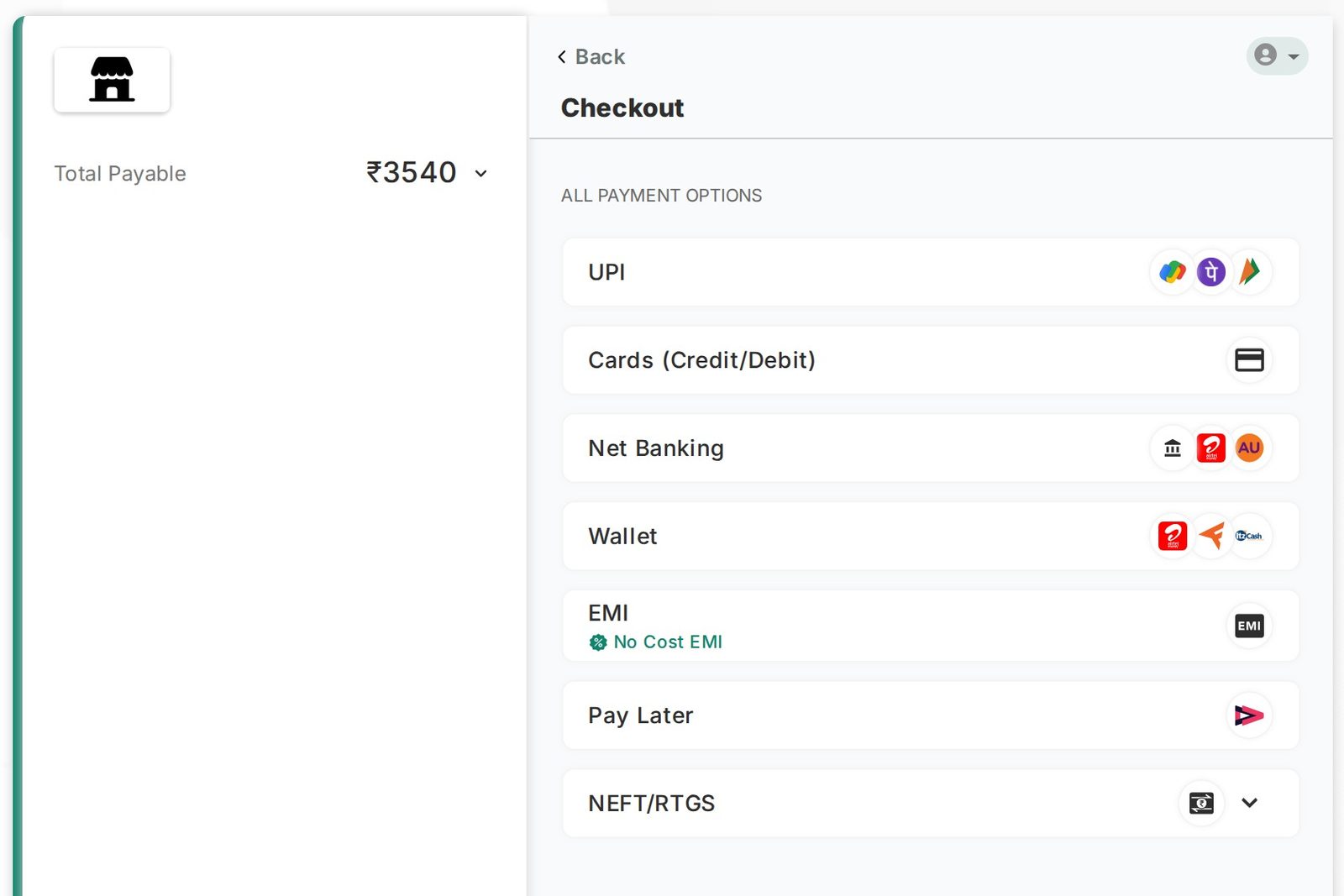
The video uses PayU's test mode and a test card, and the one-time password goes into a test bank page. No real money moves. When you buy your plan, you pay with your own card, UPI or bank, and the money is real.
When the payment goes through, you are back on Opmiz, on your new plan.
Your plan and your invoice
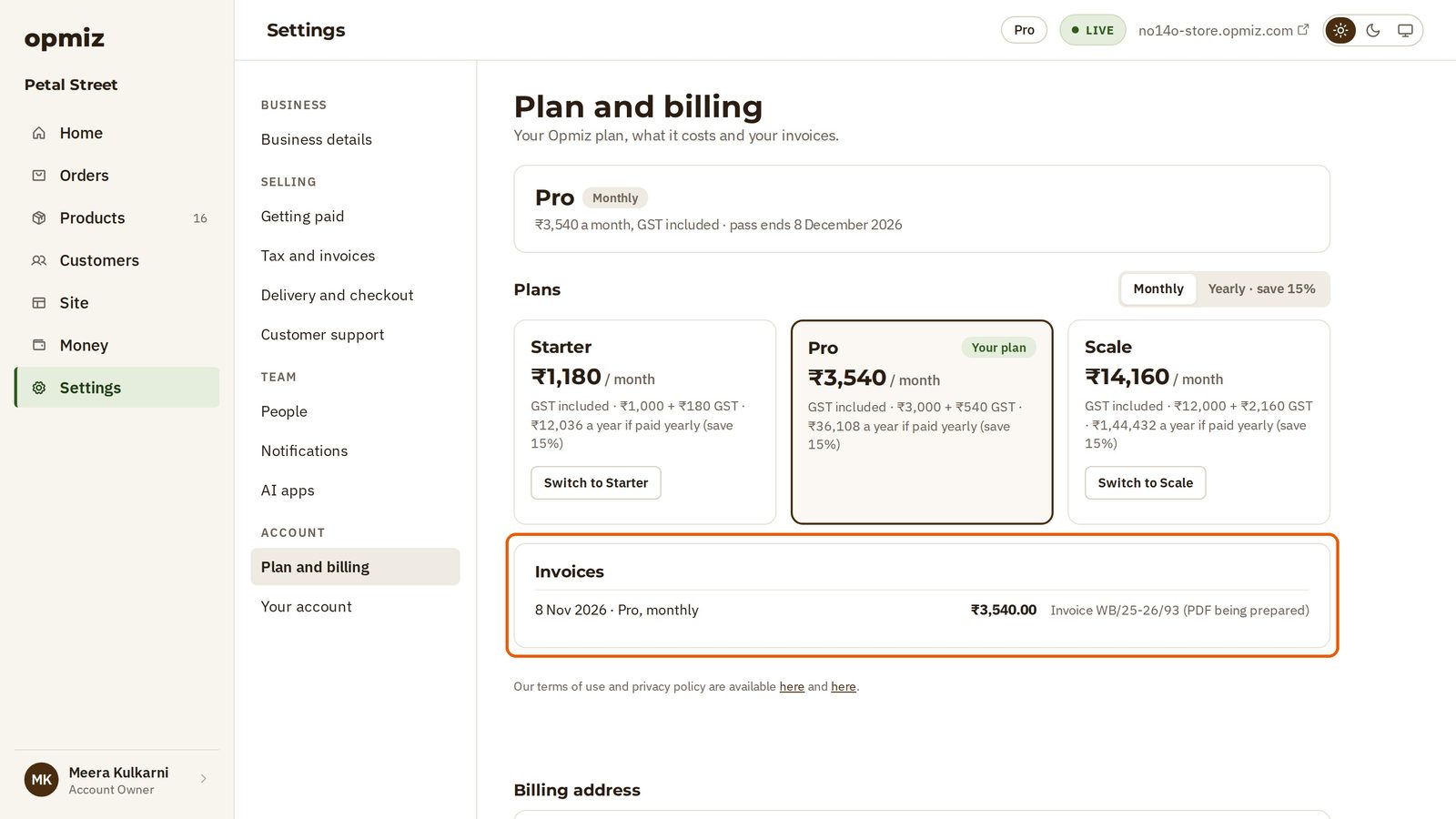
Plan and billing now shows your plan, its price and the date your current pass ends. The plan you are on is marked Your plan.
Further down, under Invoices, is the invoice for what you paid, ready for your records.
Change plan later
If you outgrow your plan, come back to Plan and billing. The other plans now have a Switch to button, such as Switch to Scale or Switch to Starter.
Press one, and a Choose a plan window opens. Before anything is charged, Opmiz tells you what the change does:
- Moving up starts today. You pay only for the days left in your current pass.
- Moving down waits. You keep your current plan until the date you have paid for, and then the lower plan starts. Nothing is charged now.
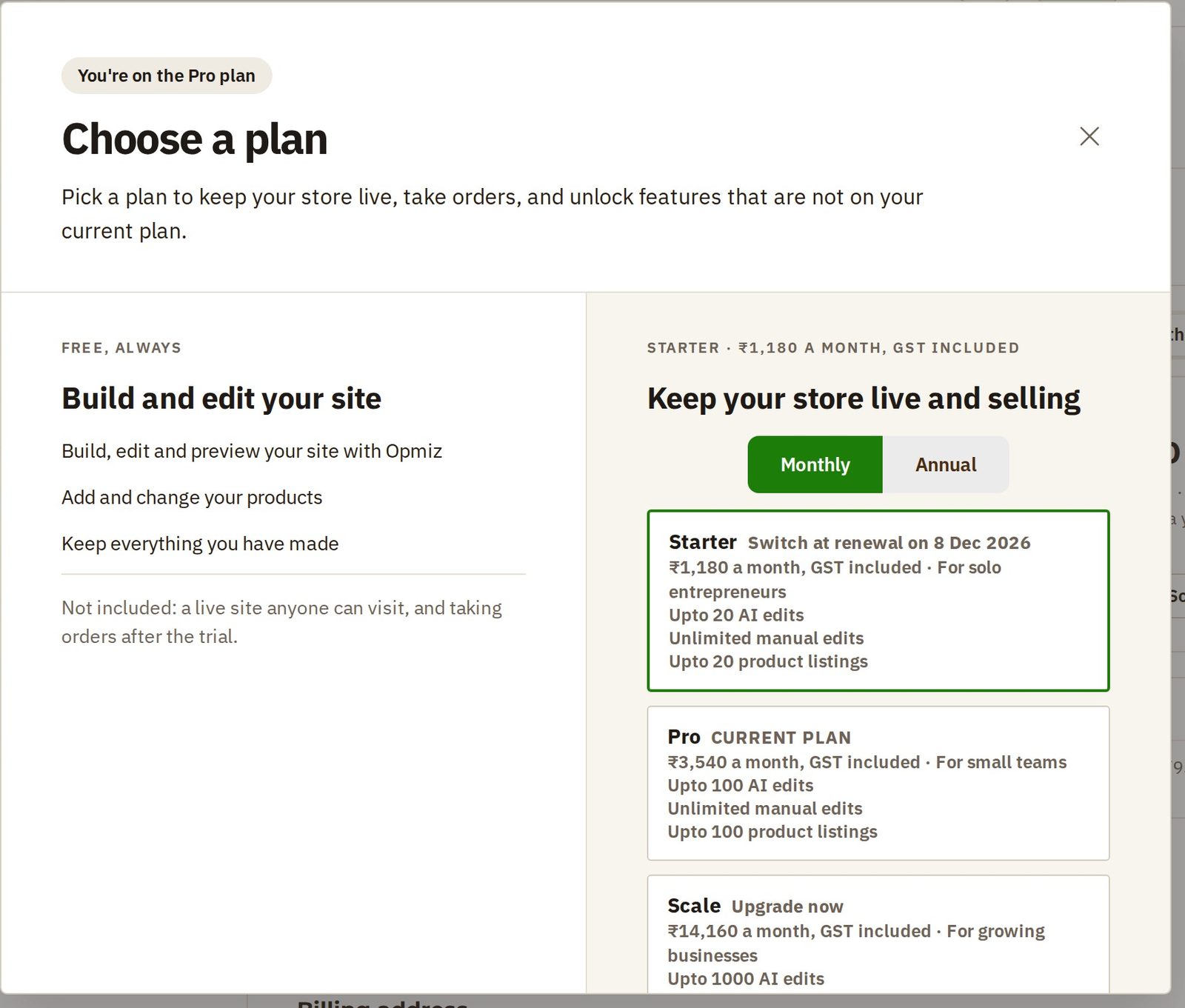
If you are not changing anything, close the window with the × at the top right.
Was this tutorial helpful?
IN THIS TUTORIAL
AI websites with native commerce. Pages, blog, store, payments and GST invoices in one place, built from a short description.
Start free for 14 days →© 2026 Opmiz · WriterBabu Online Services Private Limited. All rights reserved.
Prices in INR, before 18% GST · Made in Patna, India