YOU WILL LEARN
✓
A collection is any group you choose
✓
One product can be in many
✓
Header Collections put it in your store’s menu
A collection puts products you choose in one place on your store, such as a festive range. You pick the products by hand, from any category. At the end, the collection is in your store's menu, one click away for shoppers.
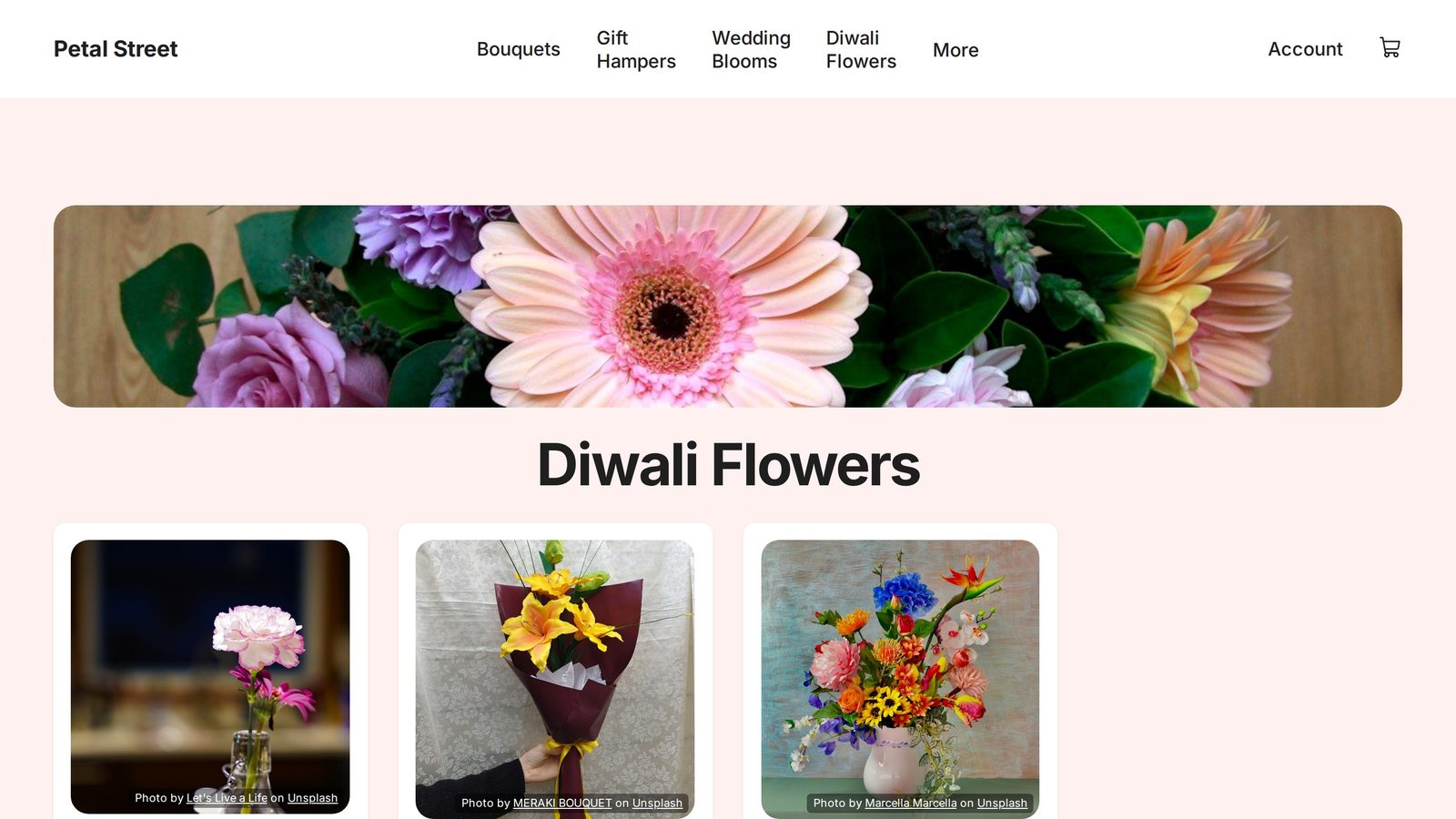
In the screenshots, Petal Street, a flower studio in Pune, makes a Diwali Flowers collection.
What a collection is
A category says what a product is. A collection is any group you choose to show together, and one product can be in many collections.
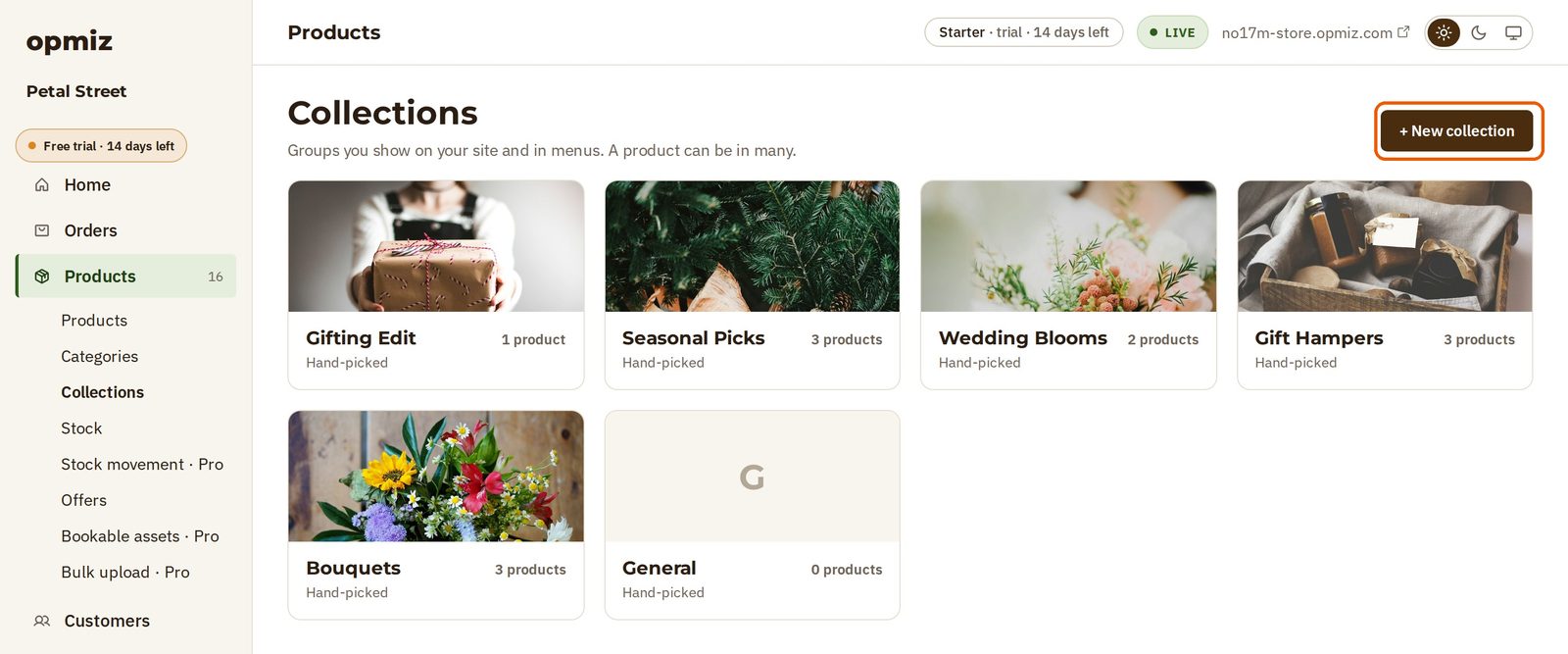
Open Products, then Collections in the menu on the left. You may already have a few there.
Make a new one
- Press + New collection.
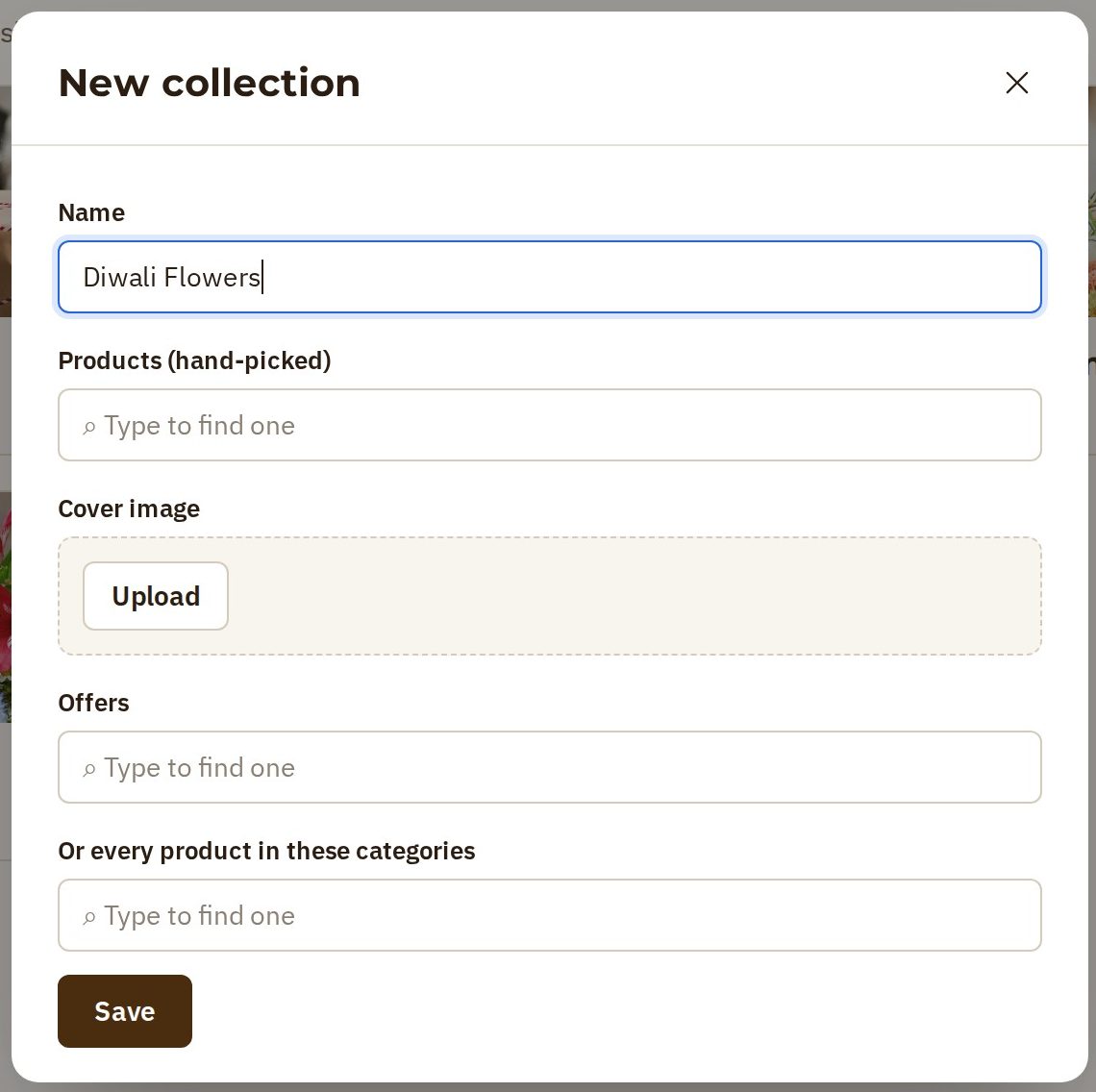
- Name: type the name shoppers will read, such as Diwali Flowers.
- Products (hand-picked): type part of a product's name, and choose it from the list. Add as many as you like. They can come from any category: Petal Street picks a carnation posy, a lily bouquet and a vase.
- Cover image: press Upload and choose a photo. It makes the collection easy to spot on the Collections page.
- Press Save.
The new collection is on the Collections page, with its three products. But shoppers can't find it yet. It needs a place on your store.
Put it in your menu
The store's menu is set under Site.
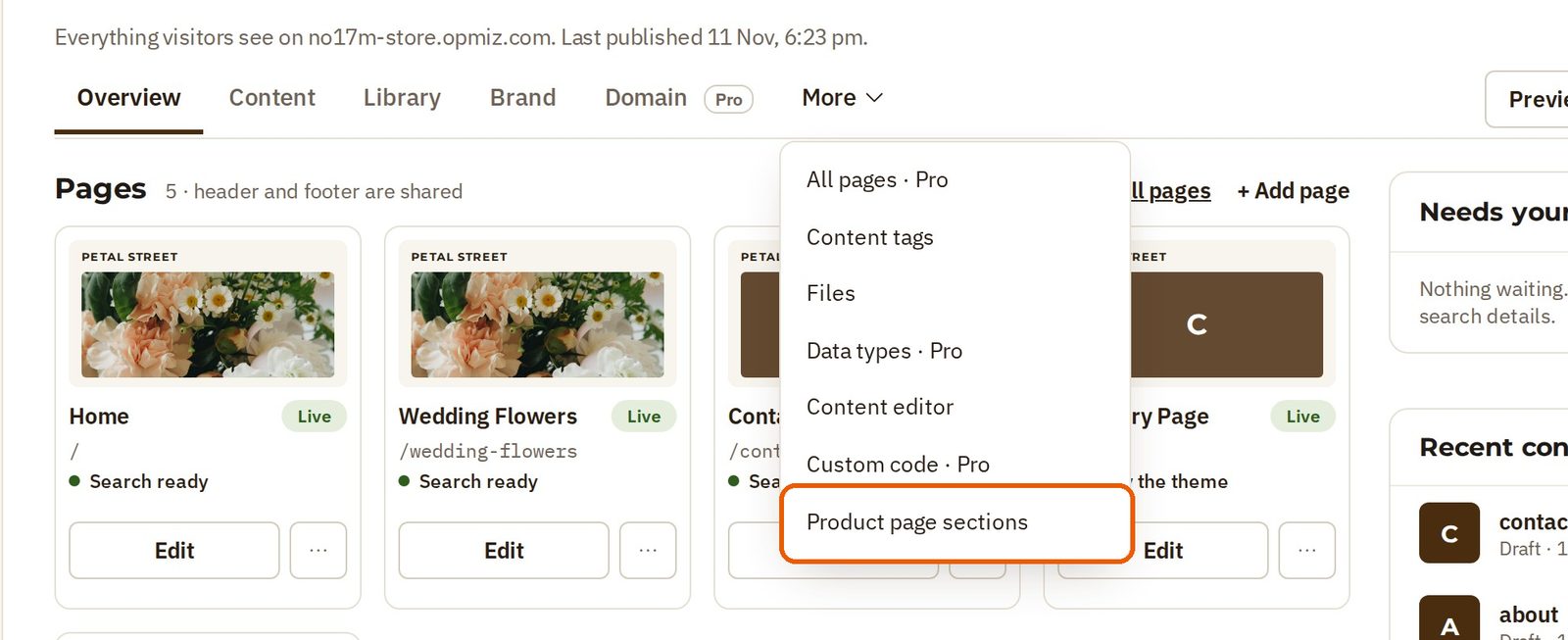
- Open Site in the menu on the left.
- Open More, then Product page sections.
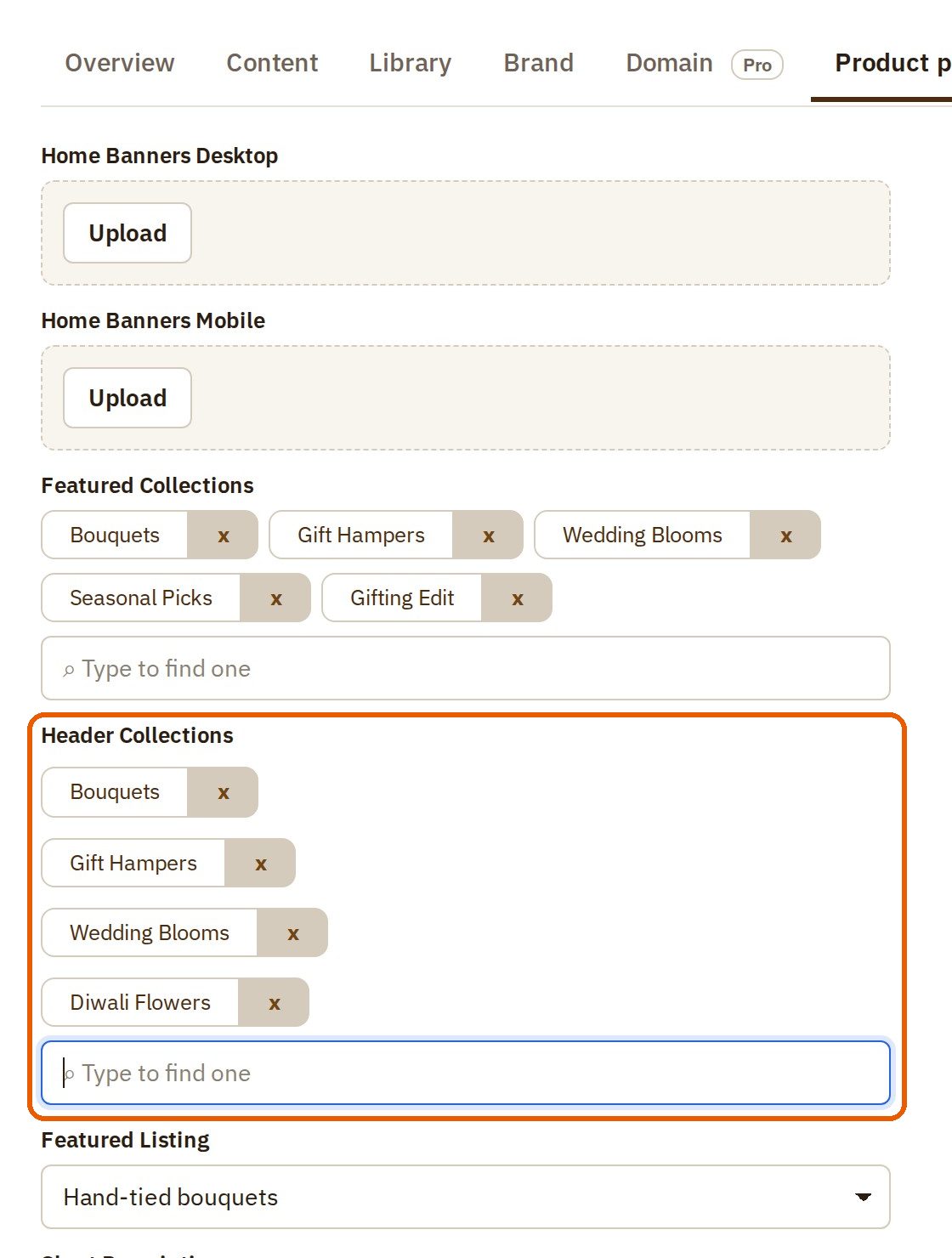
- Find Header Collections. These are the collections in the menu at the top of your store.
- In the box under them, type the new collection's name and choose it from the list.
- Press Save. This goes straight to your live store.
What shoppers see
On your store, Diwali Flowers is now in the menu at the top. One click, and the shopper sees all three products together, however different their categories are.
When the festival ends, remove the collection from Header Collections the same way.
Was this tutorial helpful?
‹ Previous
Keep your stock rightNext ›
Run a discount codeAI websites with native commerce. Pages, blog, store, payments and GST invoices in one place, built from a short description.
Start free for 14 days →© 2026 Opmiz · WriterBabu Online Services Private Limited. All rights reserved.
Prices in INR, before 18% GST · Made in Patna, India