YOU WILL LEARN
✓
Settings, Business details, Pause orders
✓
Your site stays up while paused
✓
One press to take orders again
Closed next week? You don't want orders you can't fulfil. Pausing orders keeps your store open for browsing but stops new orders, and one press brings them back when you return.
In the screenshots, Meera pauses orders at Petal Street, a flower studio in Pune.
Pause orders
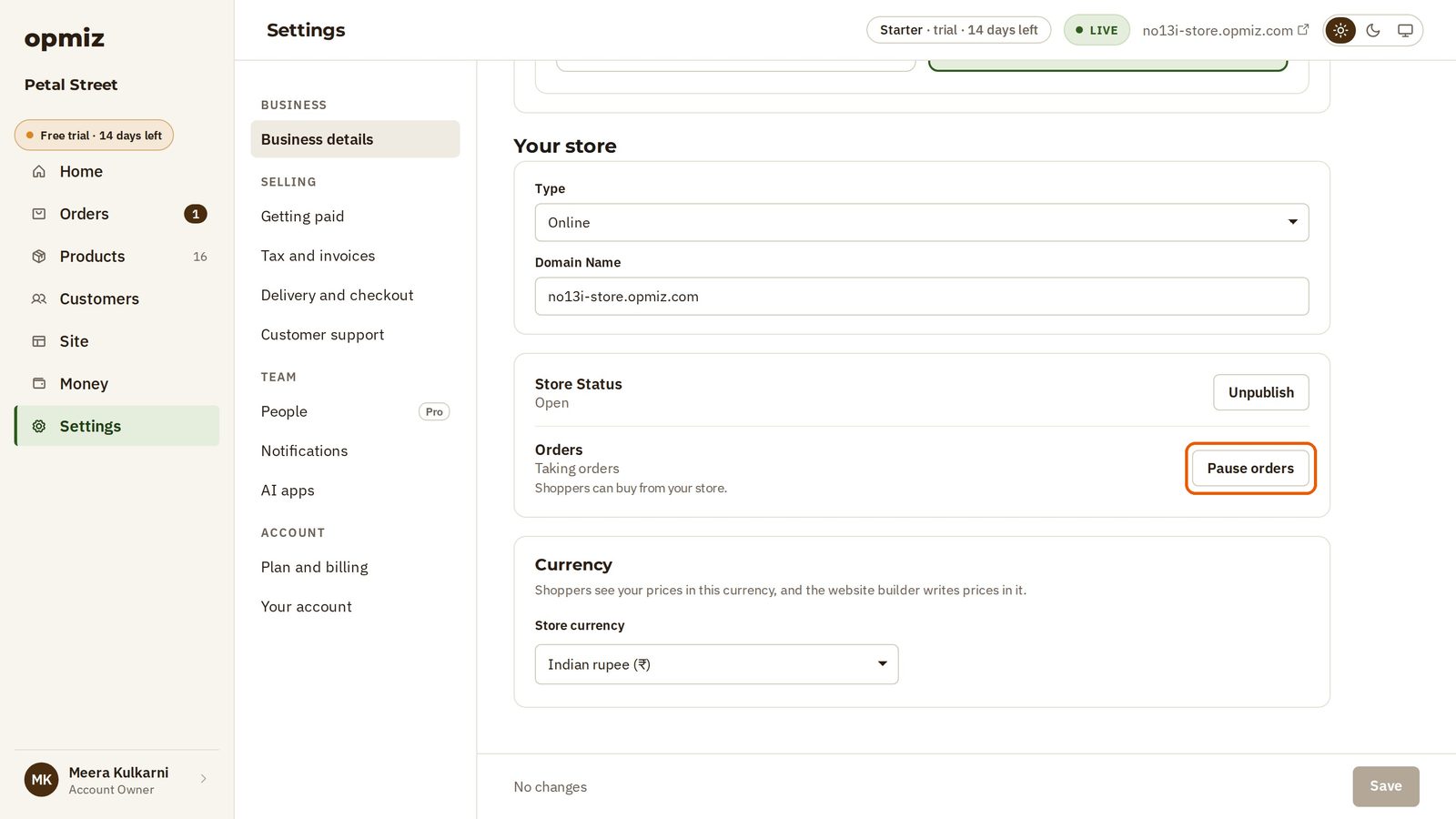
- Open Settings, then Business details.
- Under Your store, the Orders line tells you where you stand. Right now it says Taking orders: shoppers can buy from your store.
- Press Pause orders.
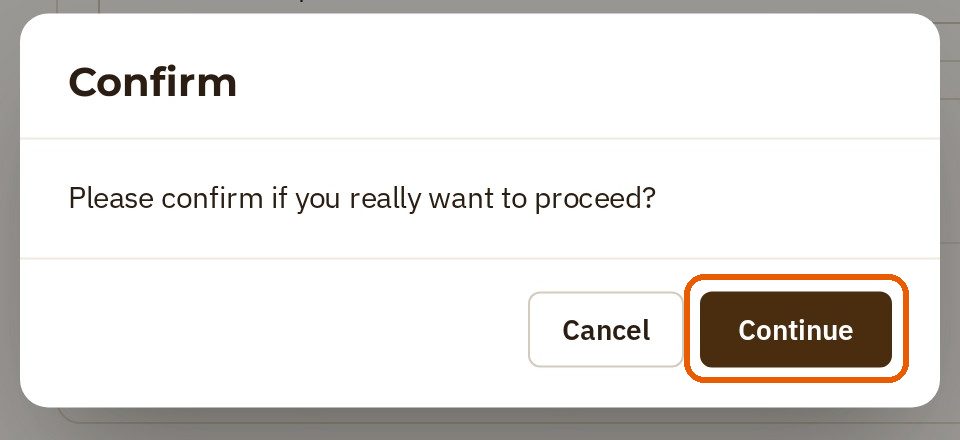
- Opmiz checks that you mean it. Press Continue.
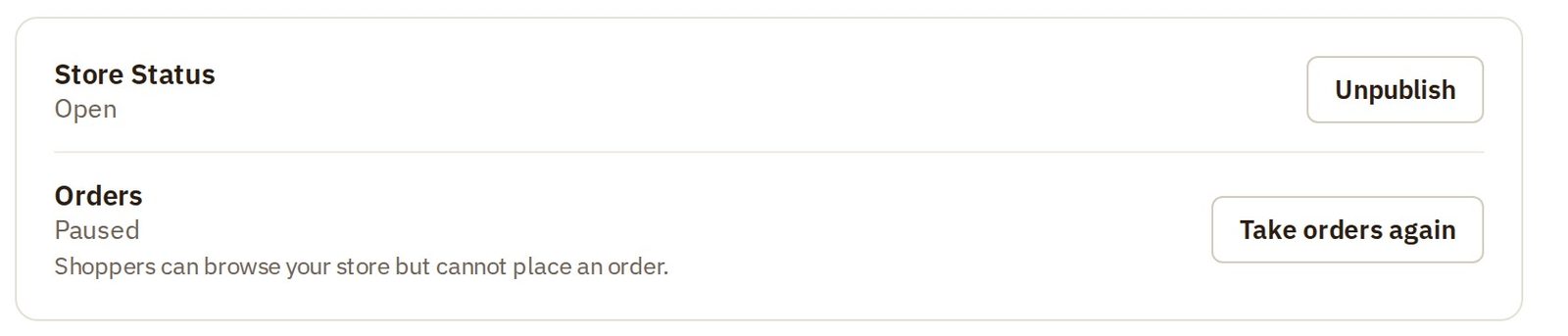
Now the Orders line says Paused: shoppers can browse your store but cannot place an order. That's all it takes.
What a shopper sees
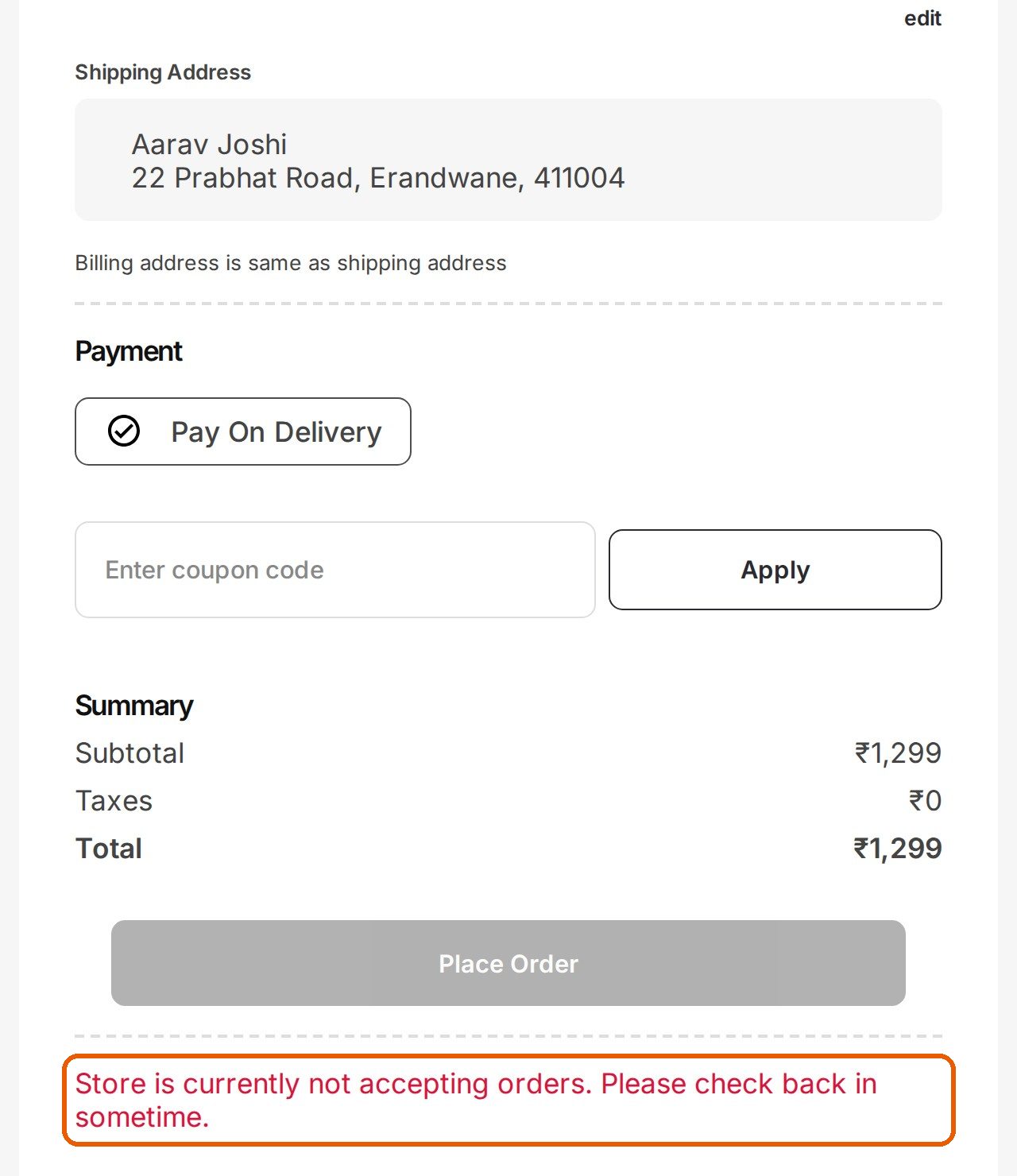
In the video, Aarav comes back for another bouquet. The site is still there, and he can still look around and fill his cart.
But when he tries to place the order, the shop tells him it isn't taking orders right now. The Place Order button is greyed out, and a message below it asks him to check back later. No order reaches you.
Take orders again
When you are back, one press brings it all back.
- Go back to Settings, then Business details.
- Press Take orders again.
- Opmiz checks that you mean it. Press Continue.
The Orders line says Taking orders again, and shoppers can buy from your store.
So go and take that break. Your shop will be ready when you are.
Was this tutorial helpful?
IN THIS TUTORIAL
AI websites with native commerce. Pages, blog, store, payments and GST invoices in one place, built from a short description.
Start free for 14 days →© 2026 Opmiz · WriterBabu Online Services Private Limited. All rights reserved.
Prices in INR, before 18% GST · Made in Patna, India