YOU WILL LEARN
✓
Components lists the blocks shared between pages
✓
Select one, then Edit component
✓
A change reaches every page that uses it
Some blocks belong on every page, like your footer. You shouldn't have to edit them page by page. A component is one design used in many places: change it once, and every page that uses it follows.
In the screenshots, Petal Street, a flower studio in Pune, changes the line of words in its footer.
The components you already have
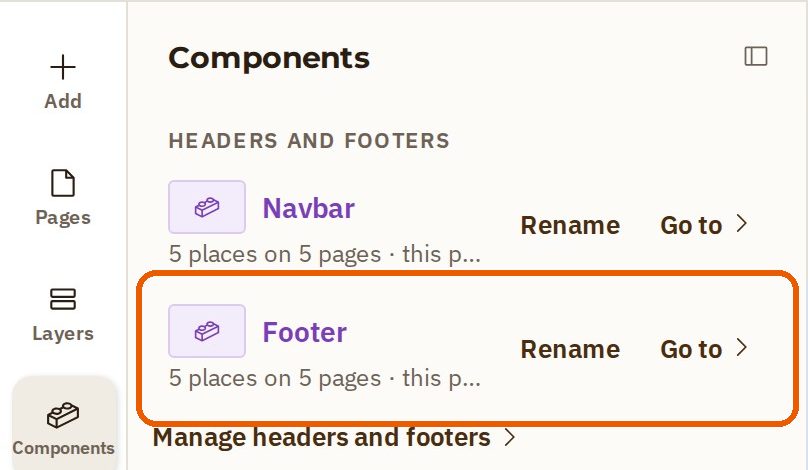
In the website builder, press Components on the left. Under Headers and footers, your Footer is listed. The line under its name says where it is used, for example 5 places on 5 pages.
Change it once
- Press Layers on the left, find the footer in the list, and select it.
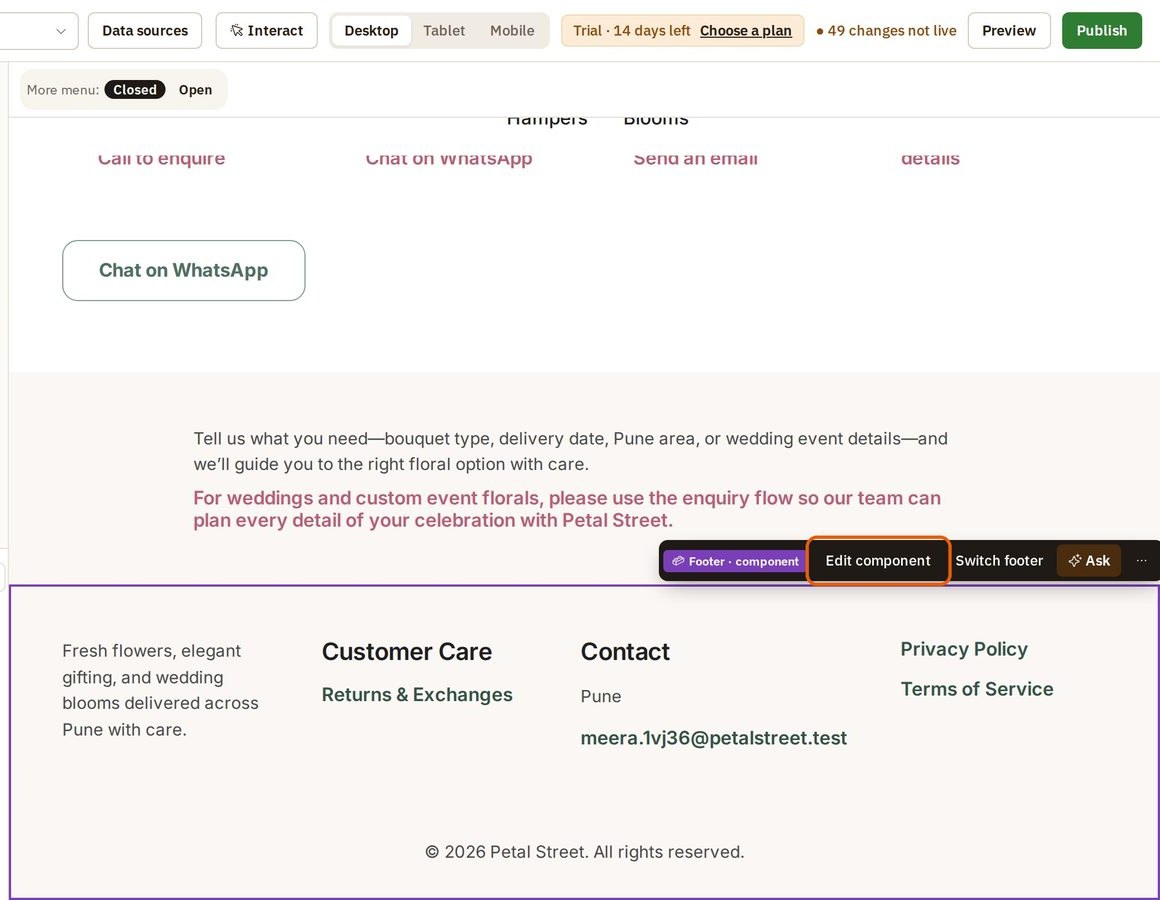
- The toolbar says Footer · component. Press Edit component.
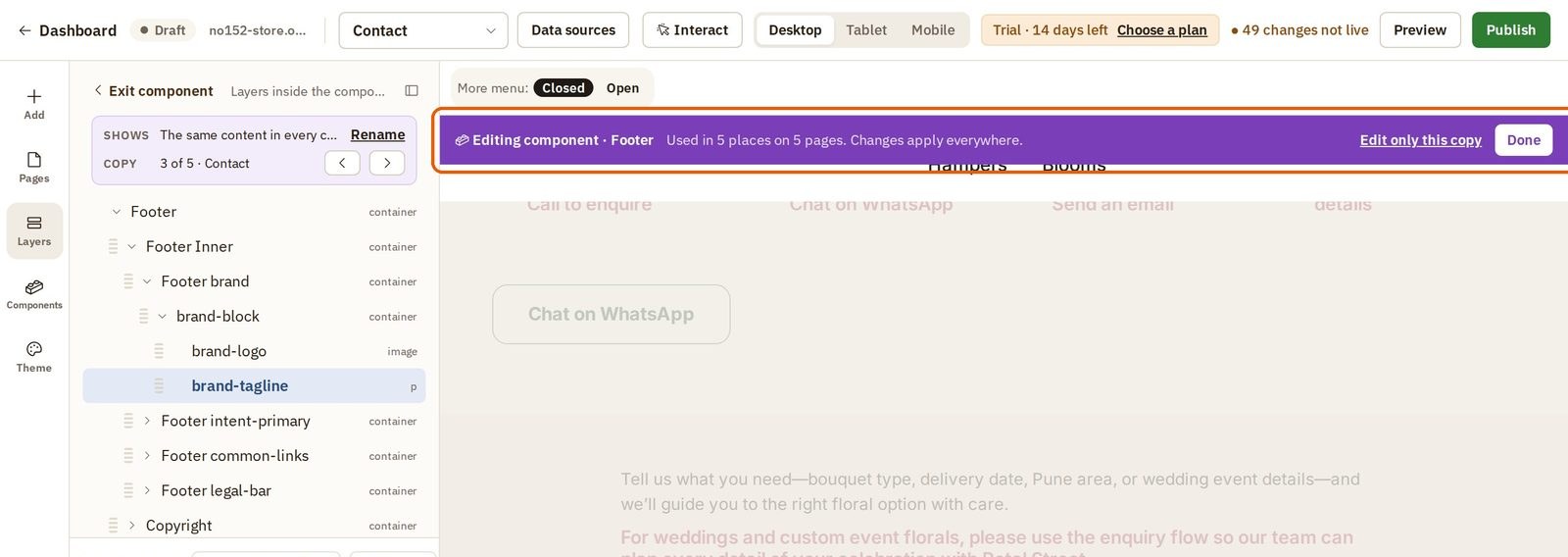
- The rest of the page dims. A purple bar tells you how many places the footer is used, and that a change here applies to all of them.
- Click the words you want to change, press Edit text, and type the new words.
- Press Done on the purple bar when you are finished.
See it on every page
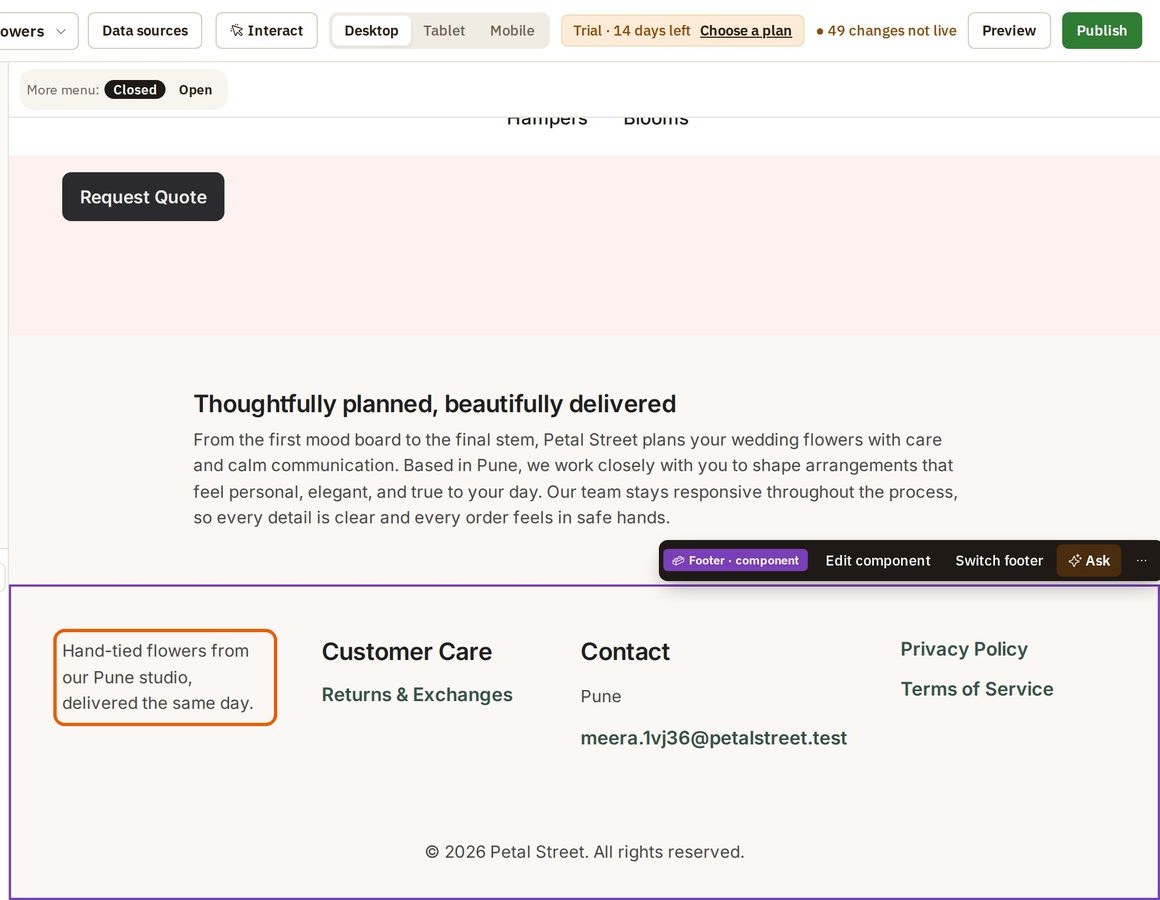
Open another page from the page list at the top of the builder. Here it is the Wedding Flowers page. Its footer already has the new words. You changed it once, and every page that uses the footer followed.
Was this tutorial helpful?
AI websites with native commerce. Pages, blog, store, payments and GST invoices in one place, built from a short description.
Start free for 14 days →© 2026 Opmiz · WriterBabu Online Services Private Limited. All rights reserved.
Prices in INR, before 18% GST · Made in Patna, India